User Secrets
Secutils.dev allows you to securely store sensitive values - API keys, tokens, passwords, private keys, and other credentials - as user secrets. Secret values are encrypted at rest and are never returned to the browser after being saved. You can reference them in responder scripts, tracker extractor scripts, and responder static body/headers without ever exposing them in your code.
Managing secrets
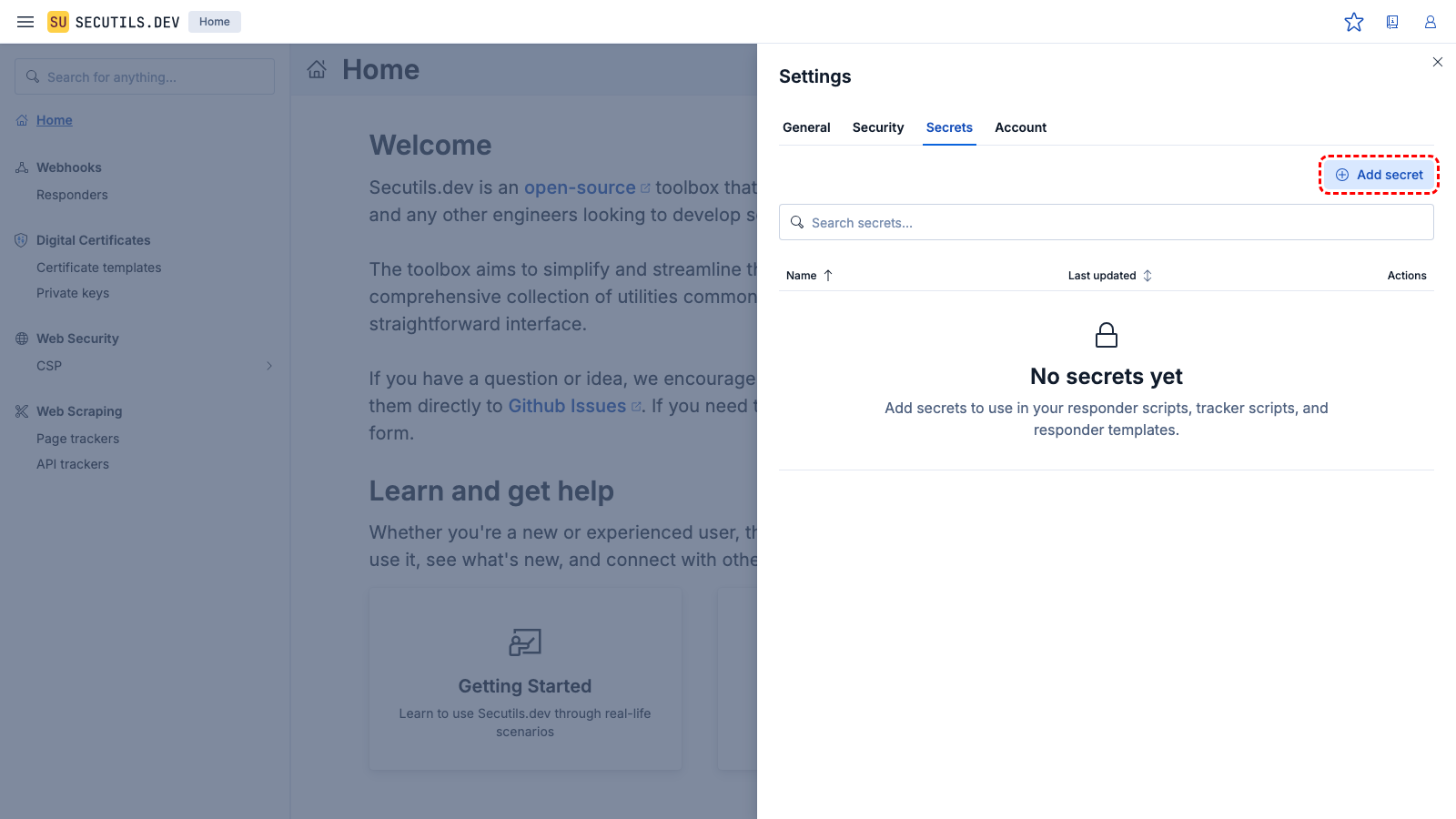
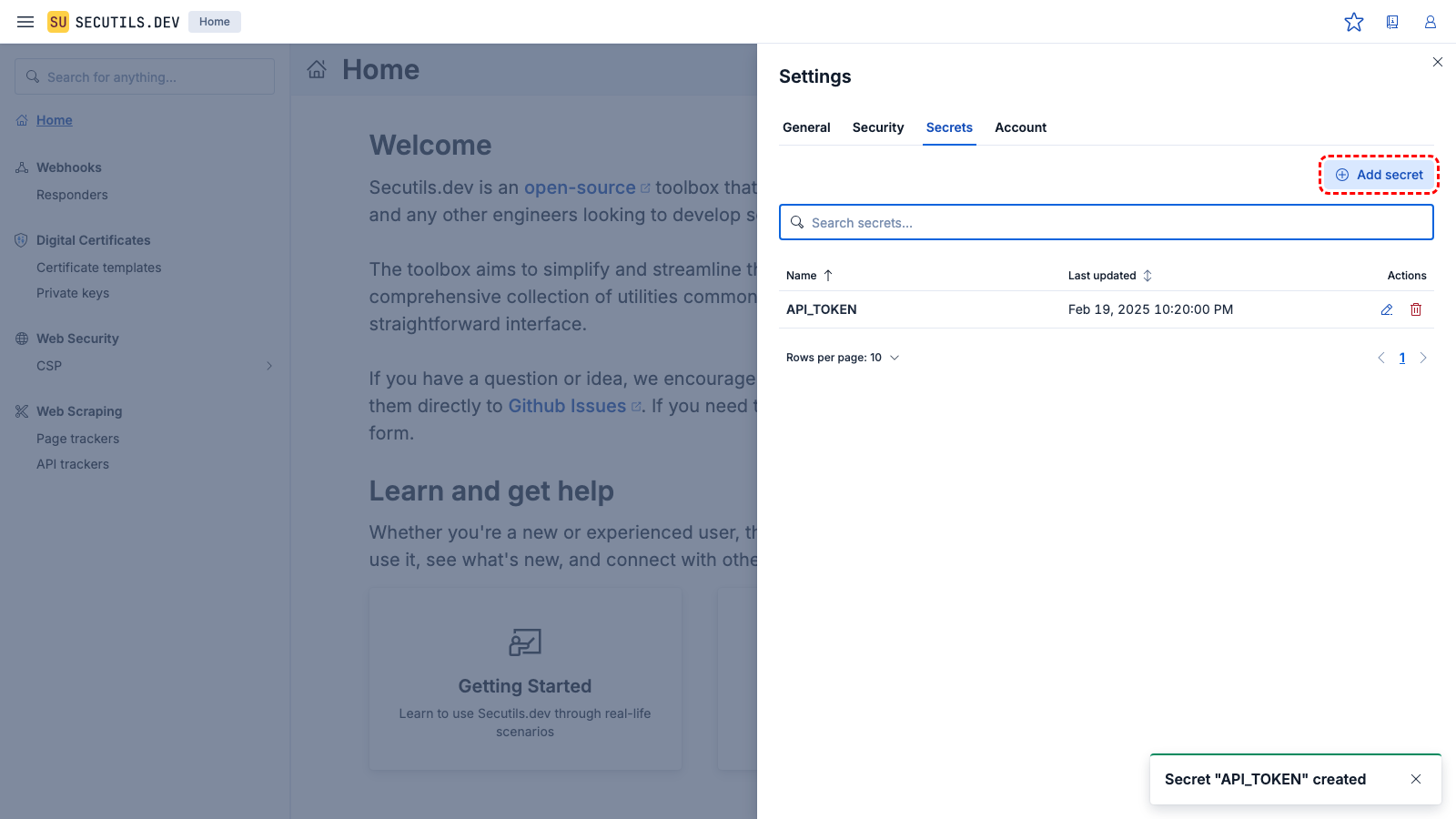
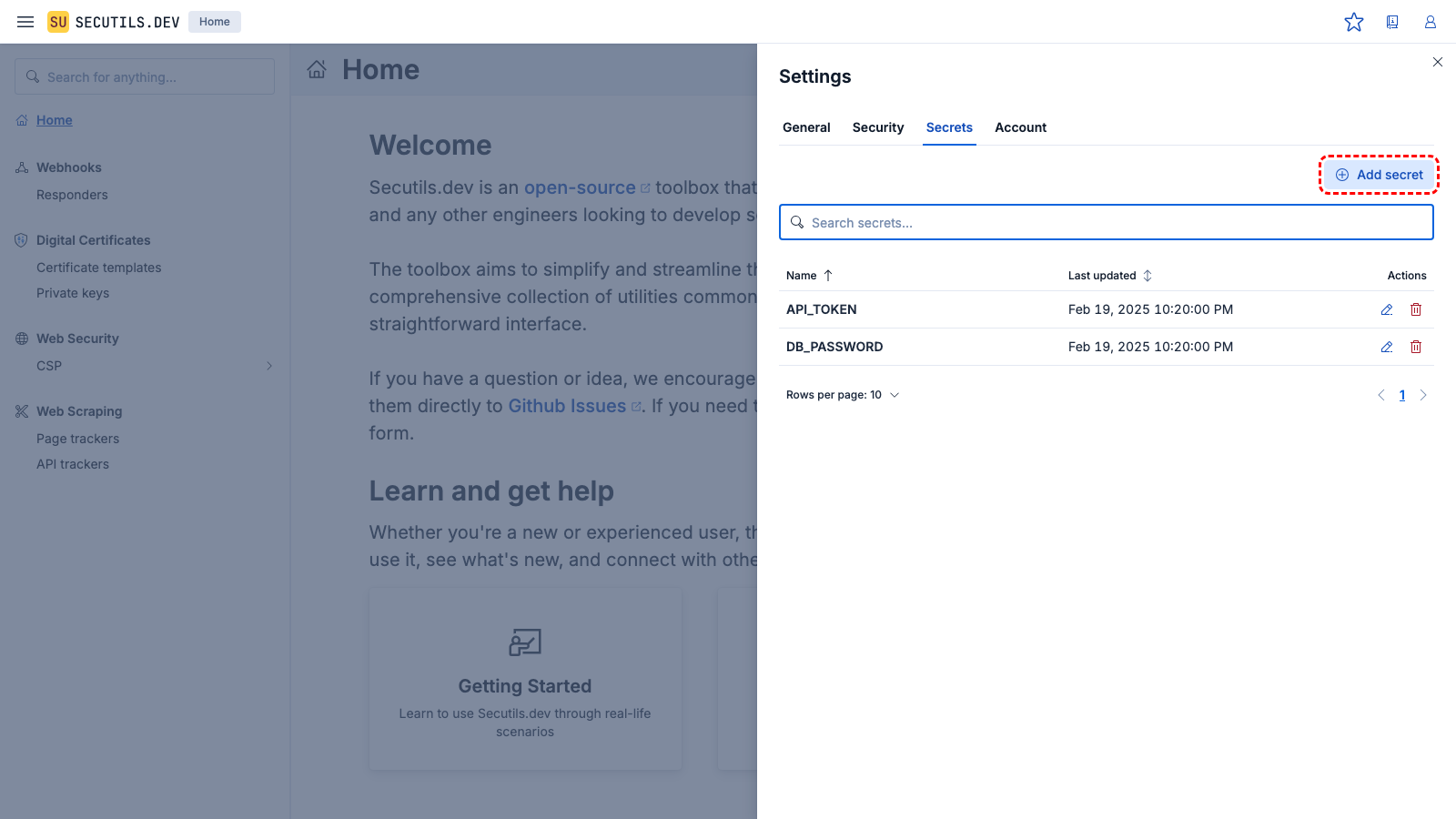
Navigate to Workspace → Secrets in the sidebar to manage your secrets. You can:
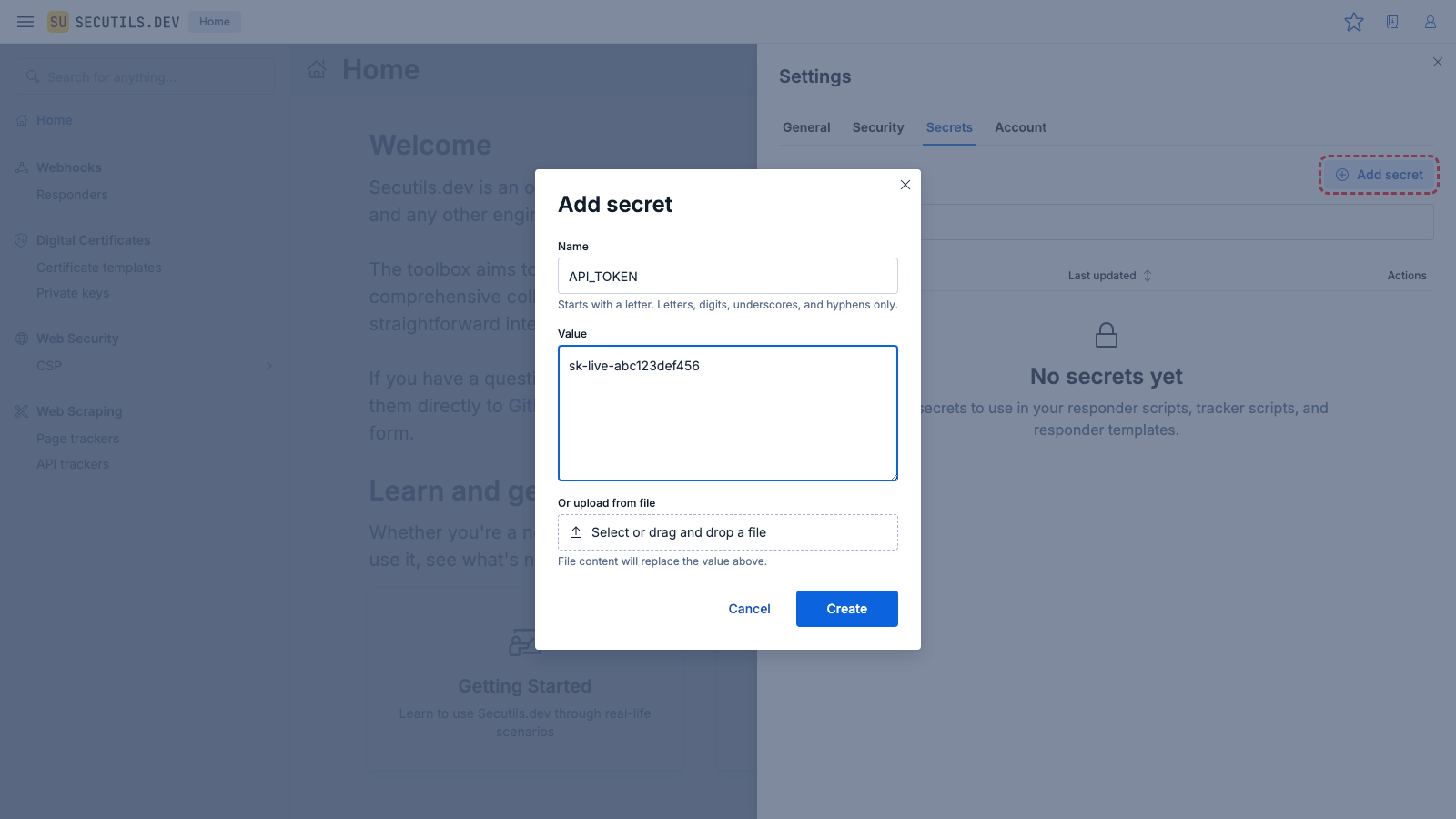
- Add a new secret with a name and value
- Update an existing secret's value (the old value is replaced)
- Delete a secret you no longer need
- Upload from file - useful for private keys, JSON credentials, or other file-based secrets
Naming rules
- Must start with a letter (a-z, A-Z)
- Can contain letters, digits, underscores (
_), and hyphens (-) - Maximum 128 characters
Limits
- Up to 100 secrets per user (configurable per subscription tier)
- Maximum secret value size: 10 KB
Write-only values
Once saved, a secret's value cannot be retrieved - it can only be replaced or deleted. This follows the industry best practice used by GitHub, AWS, Vercel, and similar services.
Exposing secrets to responders and trackers
By default, no secrets are exposed to any responder or tracker. You must explicitly choose which secrets to make available using the Secrets section in the advanced settings of each responder or page tracker.
Three access modes are available:
| Mode | Description |
|---|---|
| No secrets (default) | No secrets are decrypted or injected. |
| All secrets | All of your secrets are decrypted and made available. |
| Selected secrets | Only the secrets you pick from a multi-select list are decrypted and made available. |
When a secret is deleted, it is automatically removed from any Selected lists in responders and trackers to prevent dangling references.
When you create, update, or delete a secret, Secutils.dev automatically re-syncs the decrypted values to all page trackers whose secrets access is set to All or Selected. Responders resolve secrets at request time and do not require syncing.
Using secrets in responder scripts
In responder scripts, secrets are available through the context.secrets object:
(async () => {
  const apiKey = context.secrets.MY_API_KEY;
  const resp = await Deno.core.ops.op_proxy_request({
    url: 'https://api.example.com/data',
    headers: { 'Authorization': `Bearer ${apiKey}` },
  });
  const data = JSON.parse(Deno.core.decode(new Uint8Array(resp.body)));
  return {
    headers: { 'Content-Type': 'application/json' },
    body: data
  };
})();
Using secrets in responder static body and headers
For responders that don't use scripts, you can reference secrets directly in the body and header values using the ${secrets.KEY} template syntax:
| Field | Example value | Resolved value |
|---|---|---|
| Header value | Bearer ${secrets.API_TOKEN} | Bearer sk-abc123… |
| Body | {"apiKey": "${secrets.THIRD_PARTY_KEY}"} | {"apiKey": "real-value"} |
The server resolves these templates at request time. If a referenced secret doesn't exist, the template is left as-is.
Using secrets in tracker scripts
In page tracker extractor scripts, secrets are available through the second context parameter:
export async function execute(page, context) {
  const token = context.params.secrets.AUTH_TOKEN;
  await page.setExtraHTTPHeaders({ 'Authorization': `Bearer ${token}` });
  await page.goto('https://protected.example.com/dashboard');
  return await page.content();
}
In API tracker scripts (both extractor and configurator), secrets are available through the global context object. API tracker scripts use the IIFE format:
(() => {
  const secret = context.params?.secrets?.AUTH_TOKEN ?? "";
  const response = context.responses?.[0];
  const body = response?.body
    ? Deno.core.decode(new Uint8Array(response.body))
    : "{}";
  return {
    body: Deno.core.encode(
      JSON.stringify({ ...JSON.parse(body), secret })
    )
  };
})();
Access patterns summary
| Surface | Syntax | Example |
|---|---|---|
| Responder scripts | context.secrets.KEY | context.secrets.MY_API_KEY |
| Responder static body/headers | ${secrets.KEY} | Bearer ${secrets.API_TOKEN} |
| Page tracker extractor scripts | context.params.secrets.KEY | context.params.secrets.AUTH_TOKEN |
| API tracker extractor/configurator | context.params.secrets.KEY | context.params.secrets.AUTH_TOKEN |
The difference in tracker scripts (context.params.secrets vs context.secrets) exists because tracker scripts run in the Retrack web scraper service and receive secrets through the existing parameters mechanism.