What is an API tracker?
An API tracker is a utility that empowers developers to detect and monitor changes in the responses of any HTTP API endpoint. Whether you need to ensure that a deployed REST API continues to return the expected data or you want to be notified when an upstream API changes its response format, the API tracker has you covered. When a change is detected, the tracker promptly notifies the user.
Unlike page trackers, which use a full headless browser to extract content from web pages, API trackers send direct HTTP requests to API endpoints. This makes them lighter, faster, and ideal for monitoring JSON APIs, webhooks, and other HTTP services.
On this page, you can find guides on creating and using API trackers.
Create an API tracker
In this guide, you'll create a simple API tracker to monitor a public JSON API endpoint:
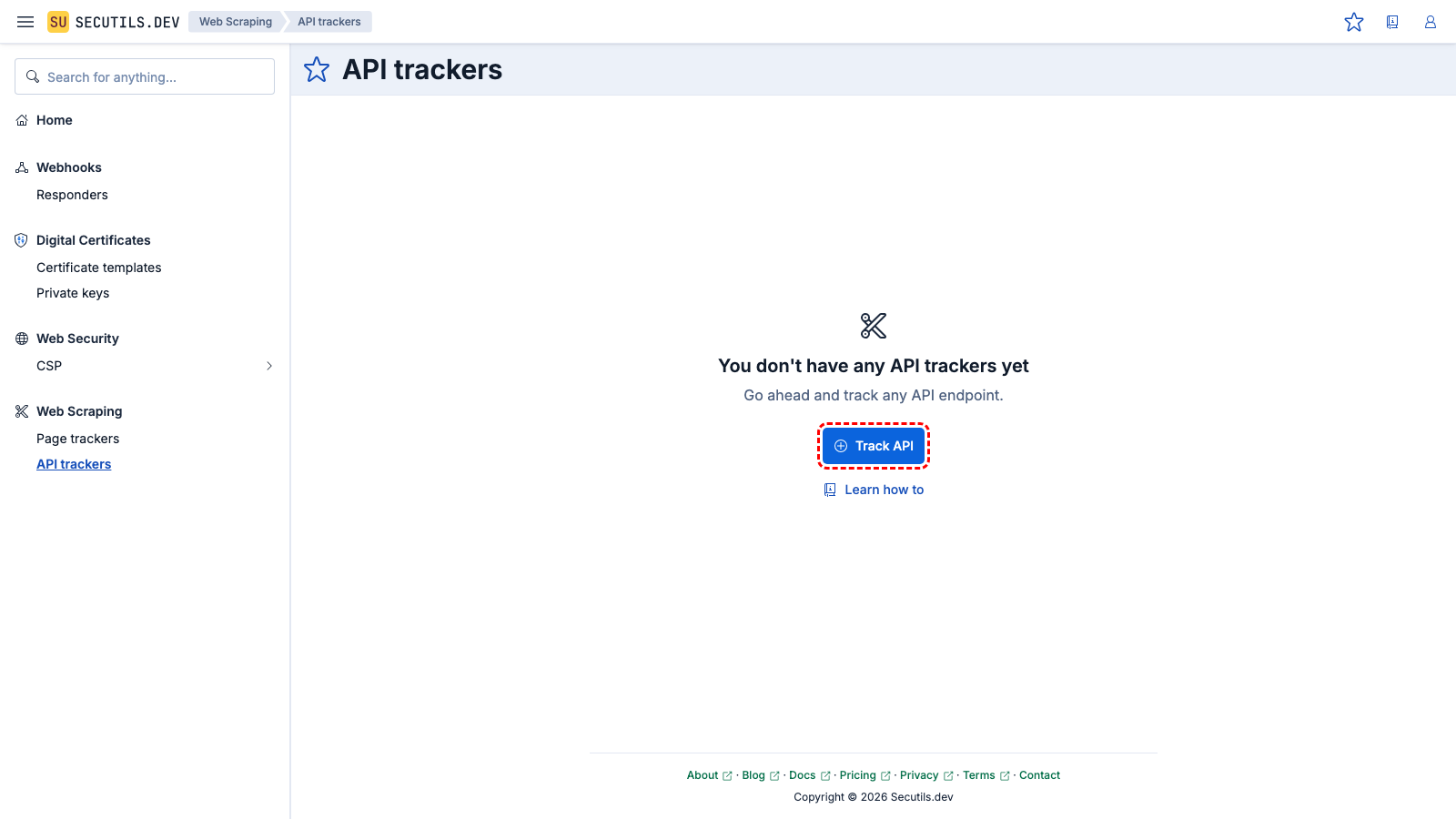
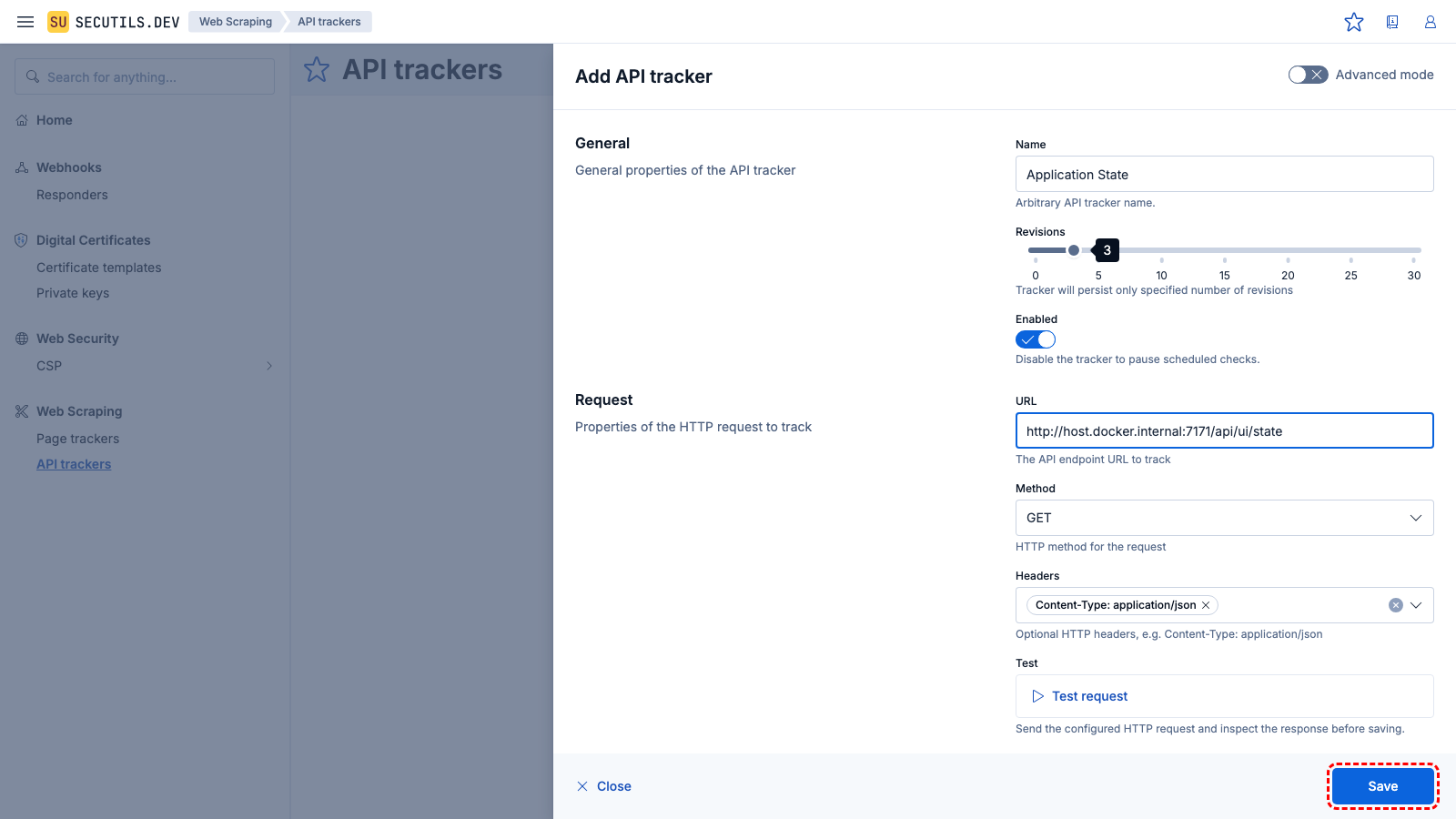
| Name | |
| URL | |
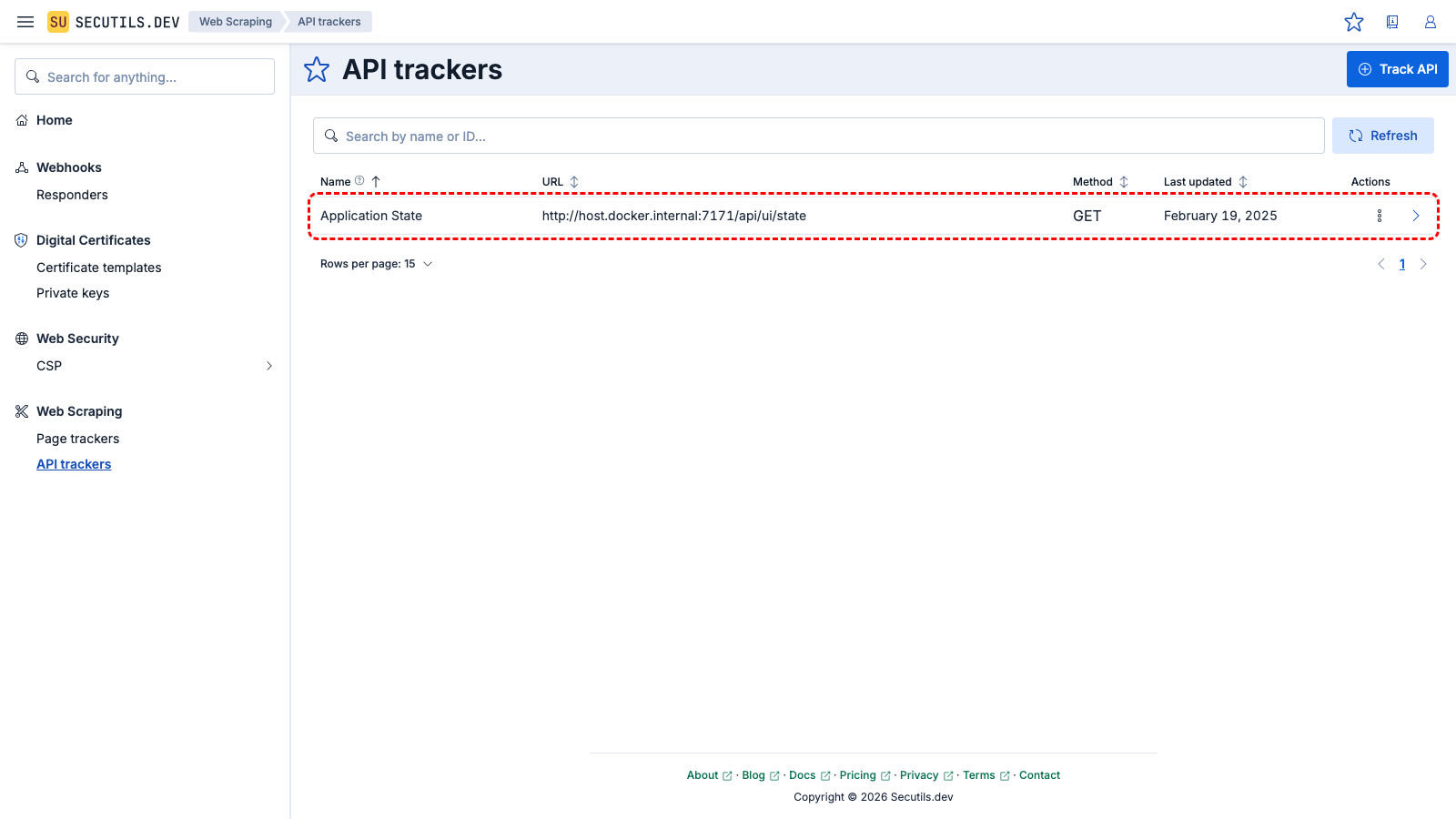
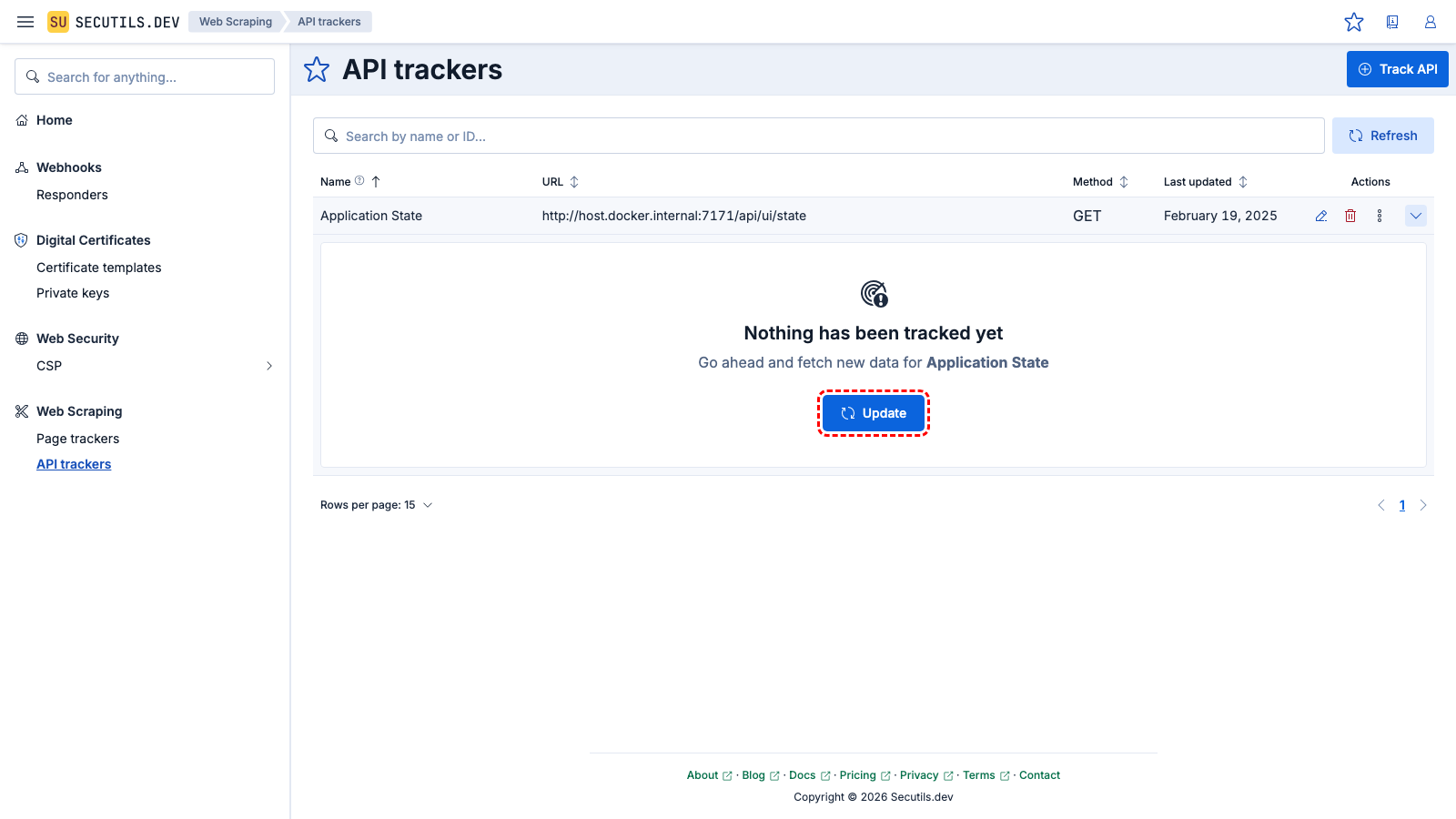
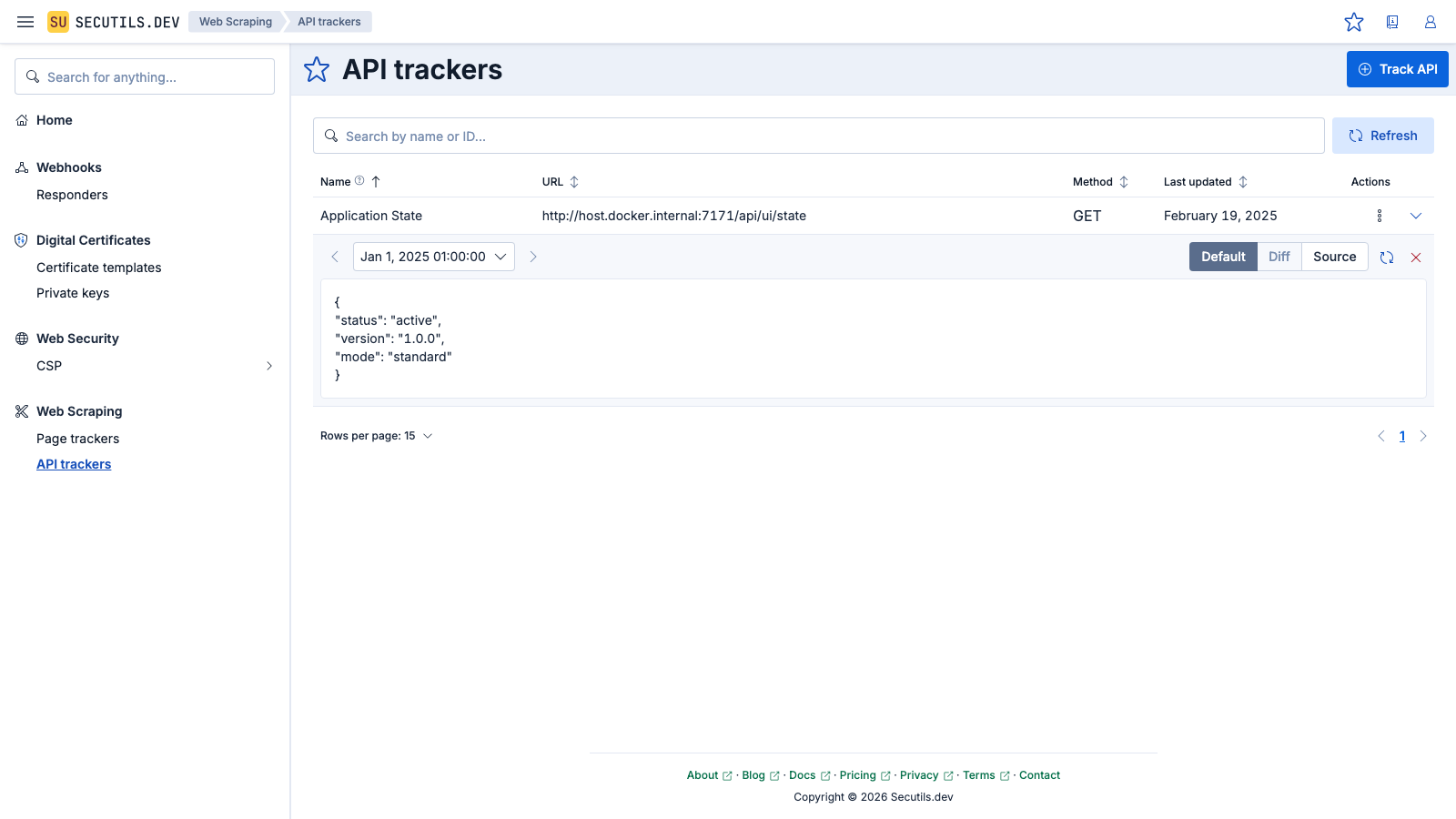
When no data extractor script is provided, the API tracker returns the raw response body. You can add a custom extractor to parse, filter, or transform the response before it is stored.
Create an API tracker with a POST request
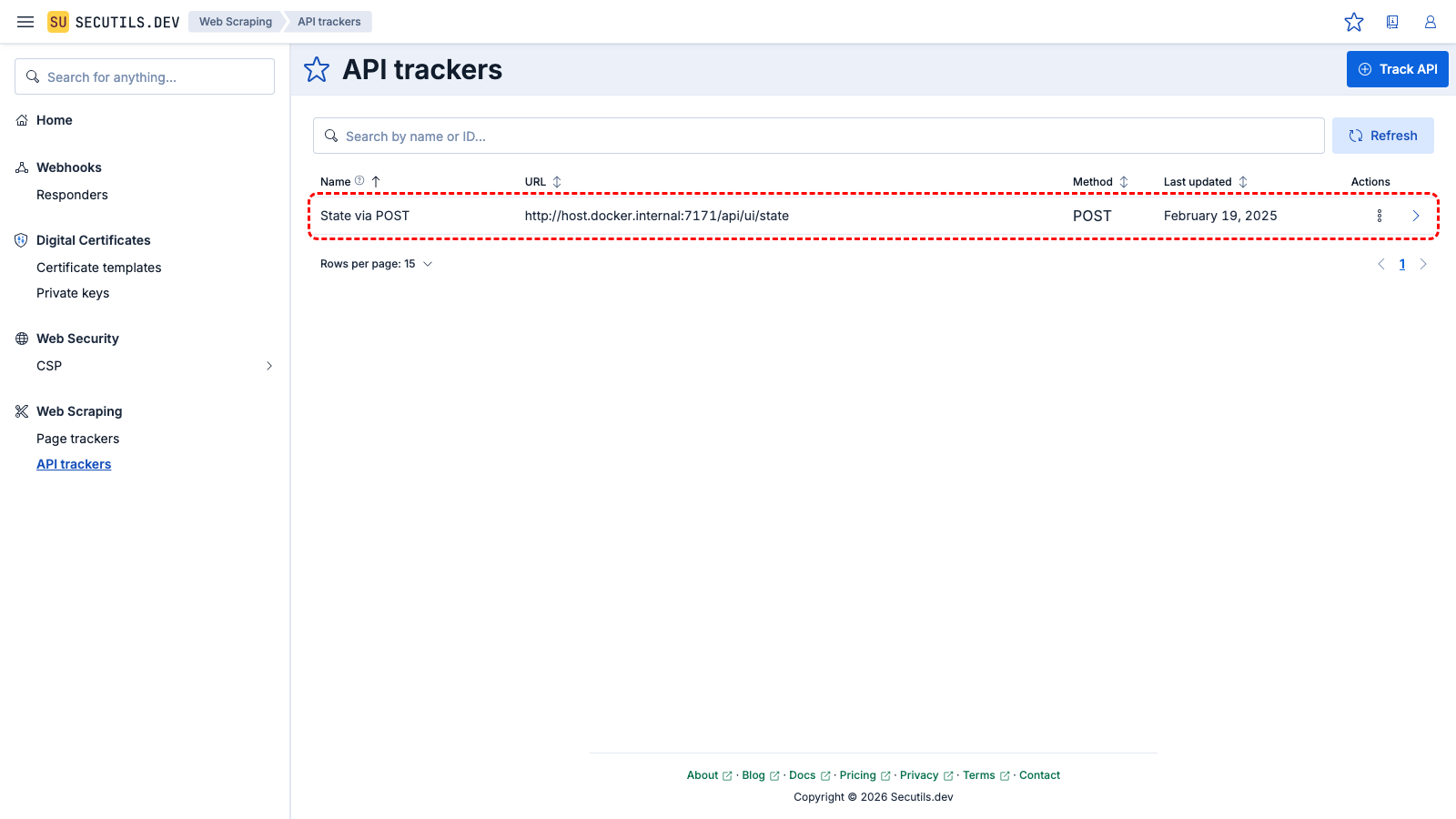
In this guide, you'll create an API tracker that sends a POST request with a JSON body:
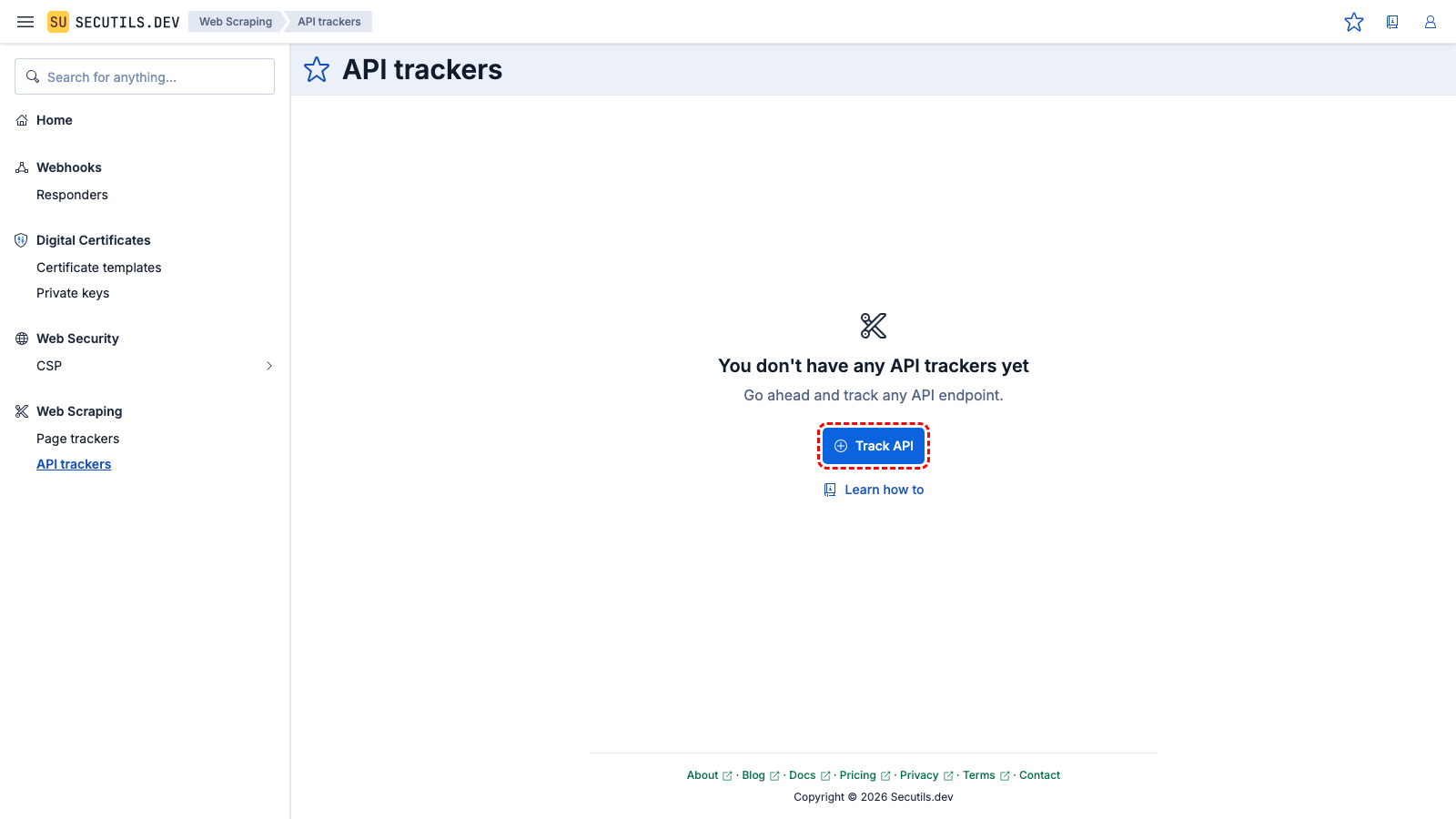
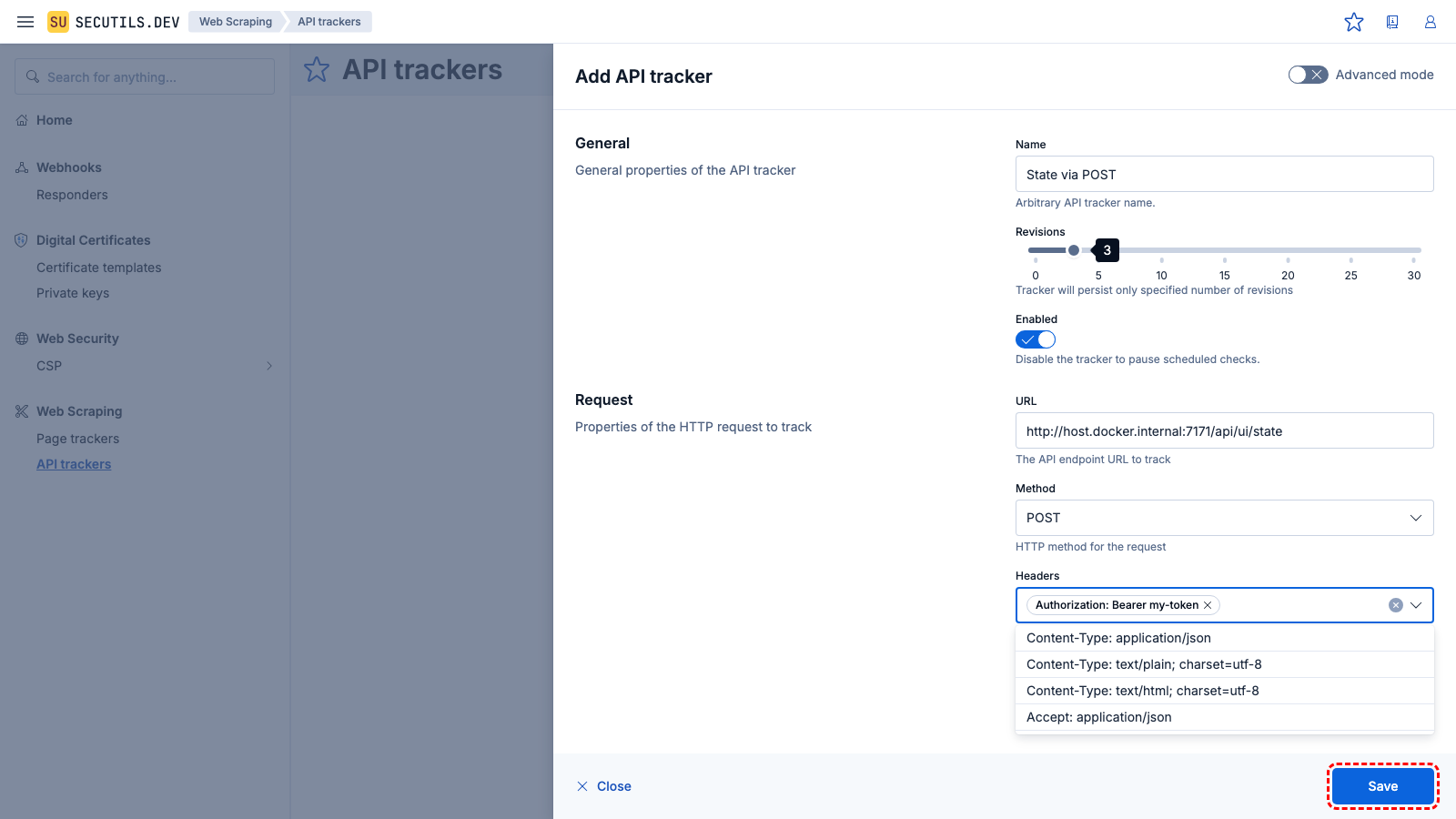
| Name | |
| URL | |
| Method | |
| Body | |
Debug an API tracker
Before saving a tracker you can use the built-in Debug mode to run the full pipeline and inspect every stage - from request configuration to response extraction. This is useful for verifying that your configurator and extractor scripts work correctly, that the right headers are sent, and that the response is what you expect.
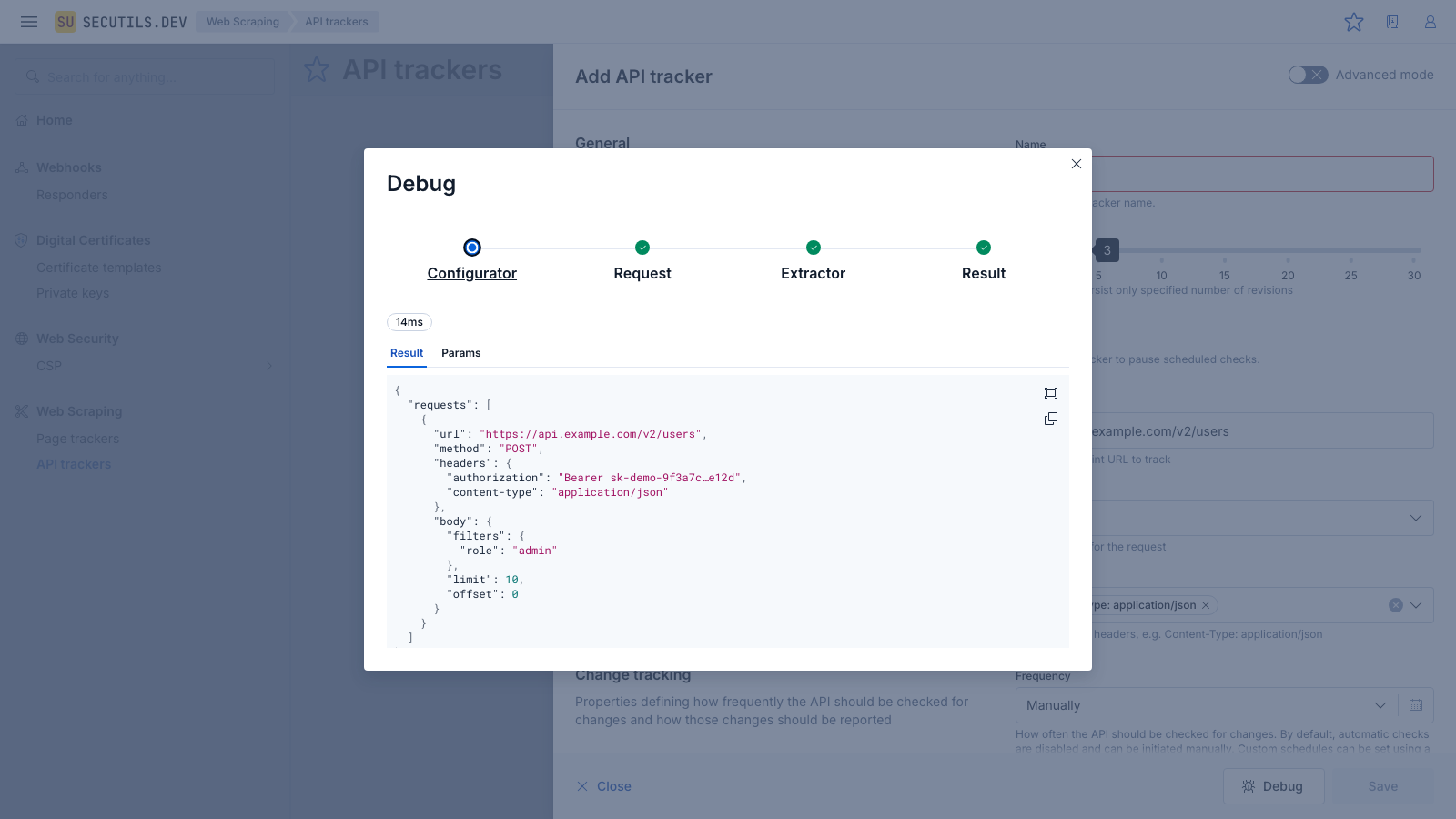
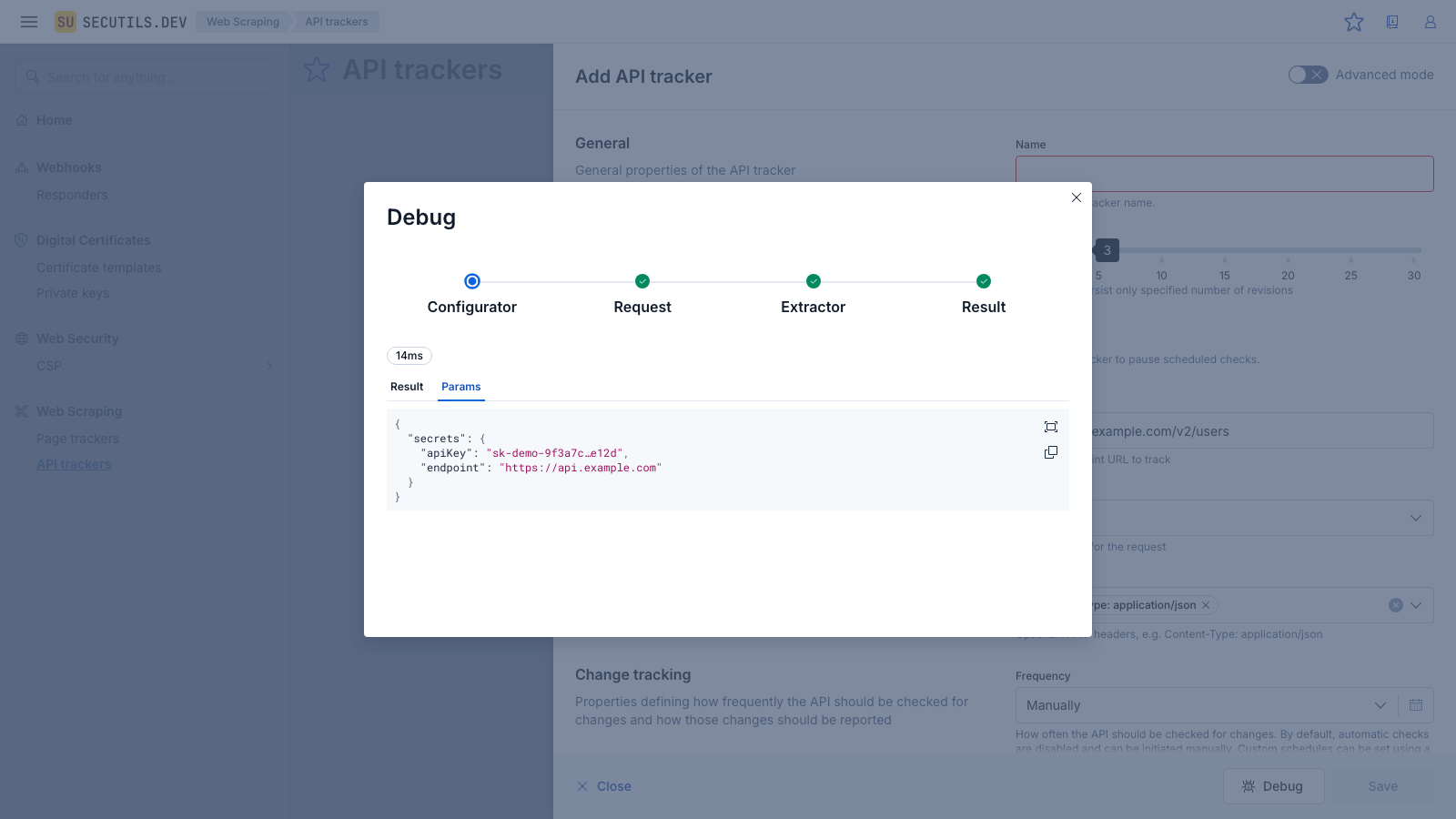
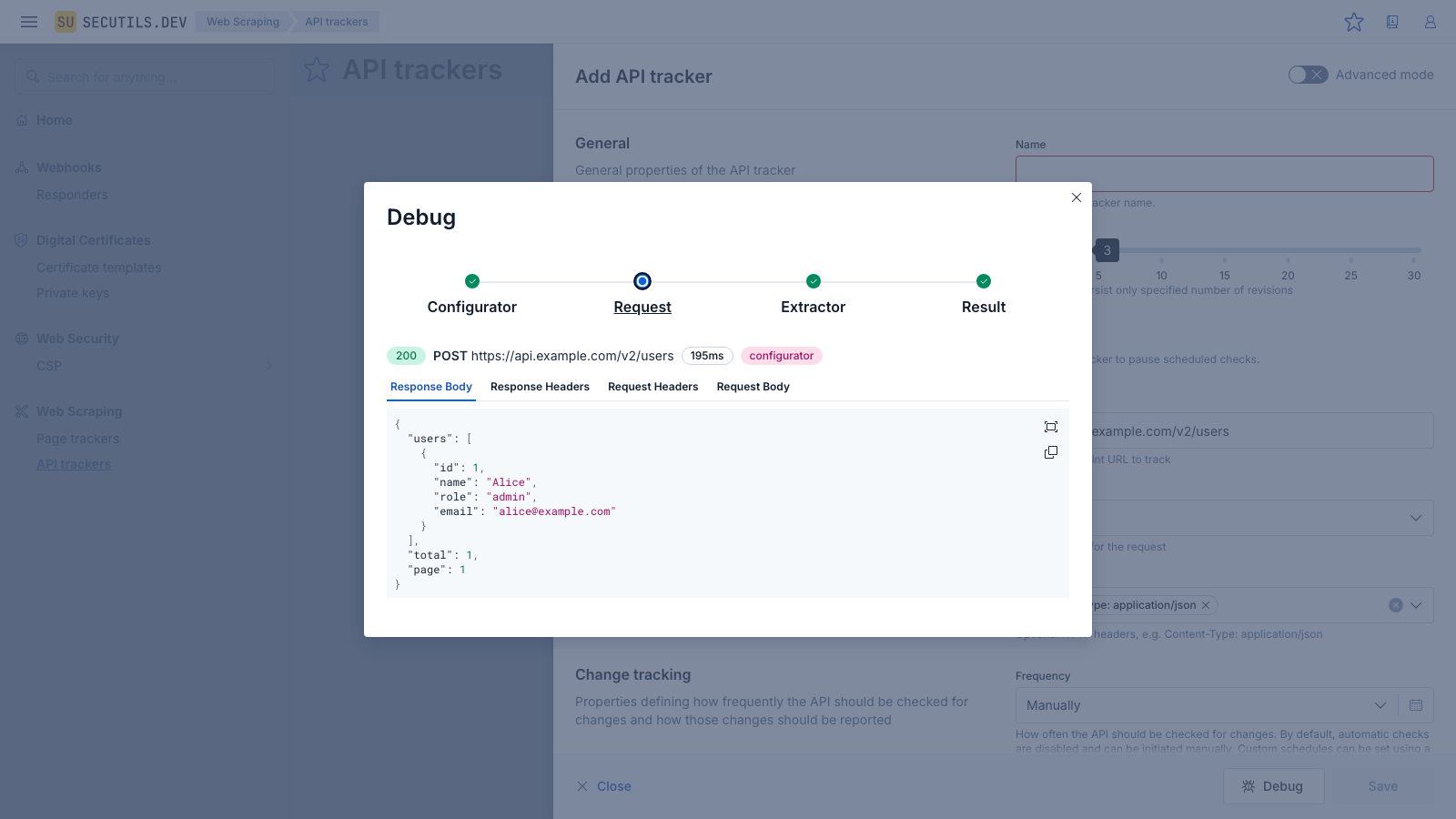
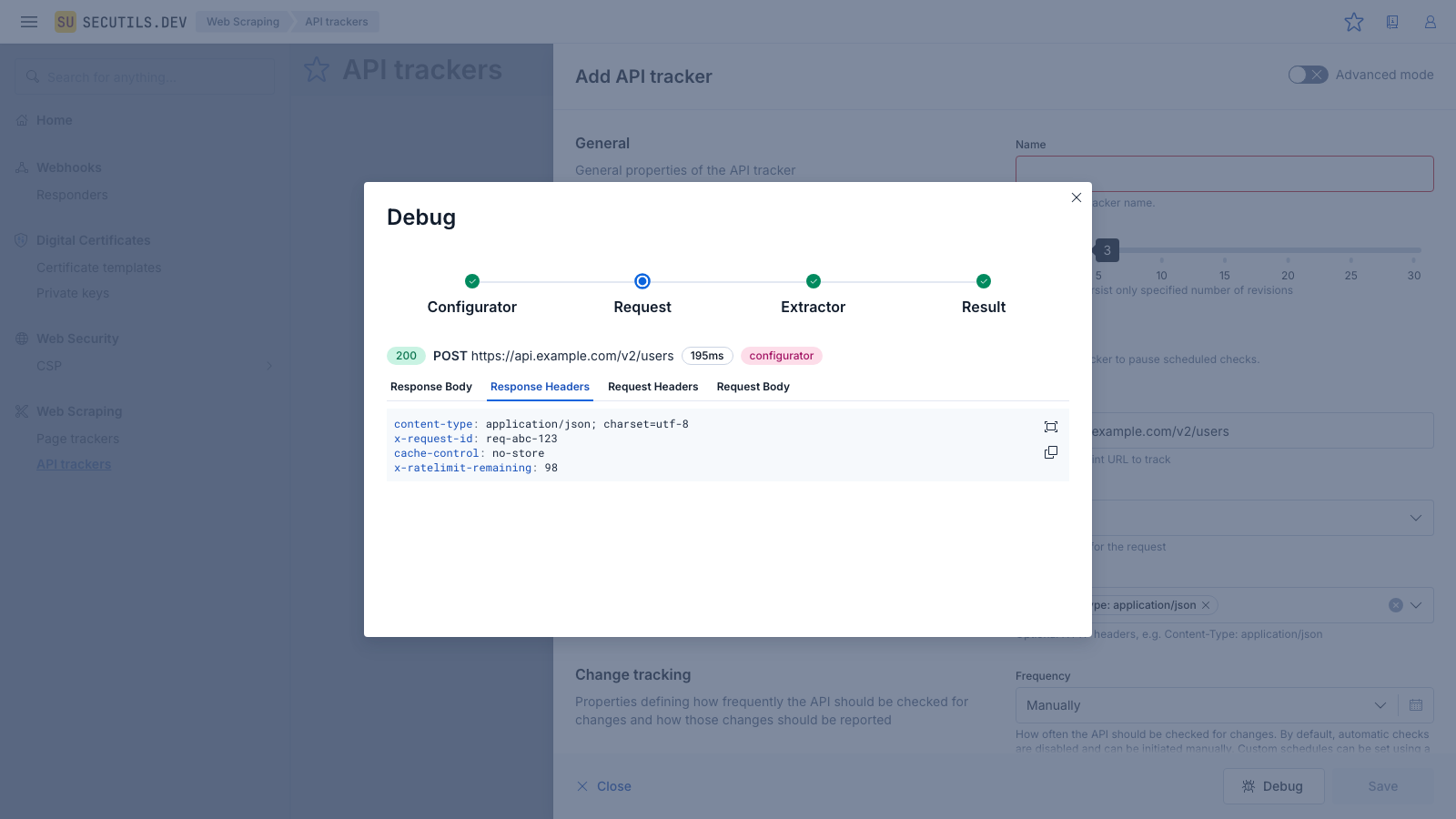
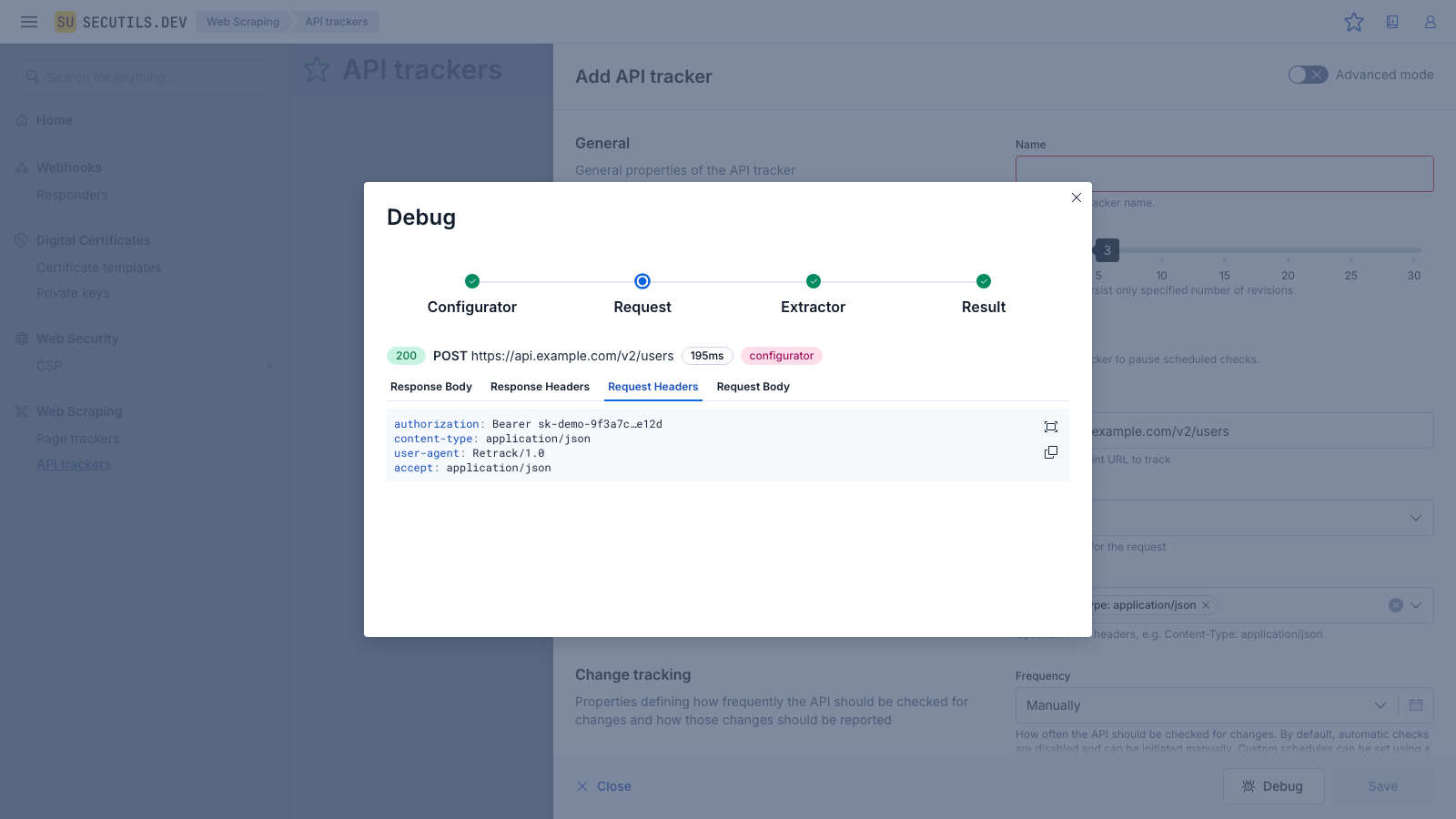
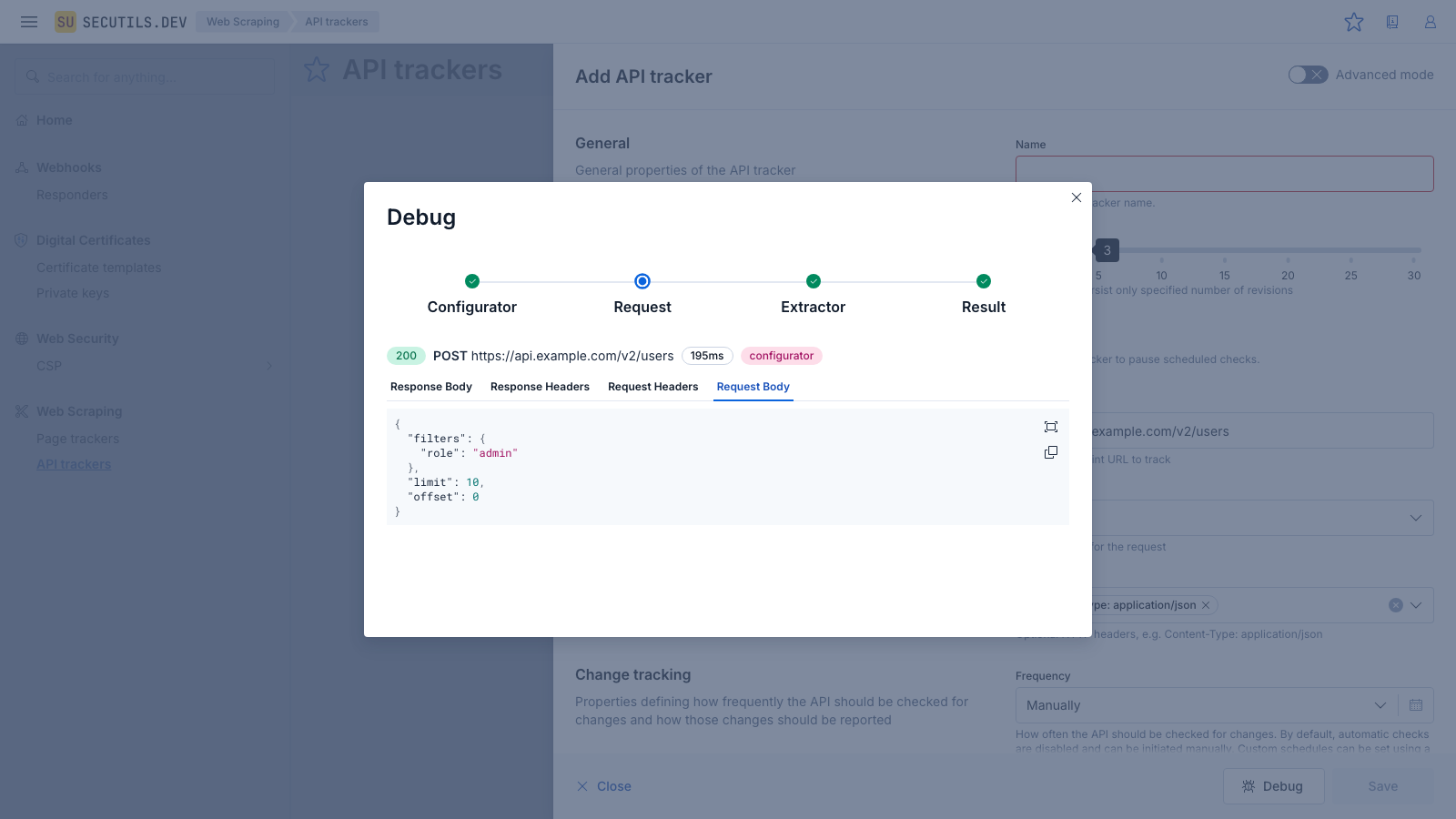
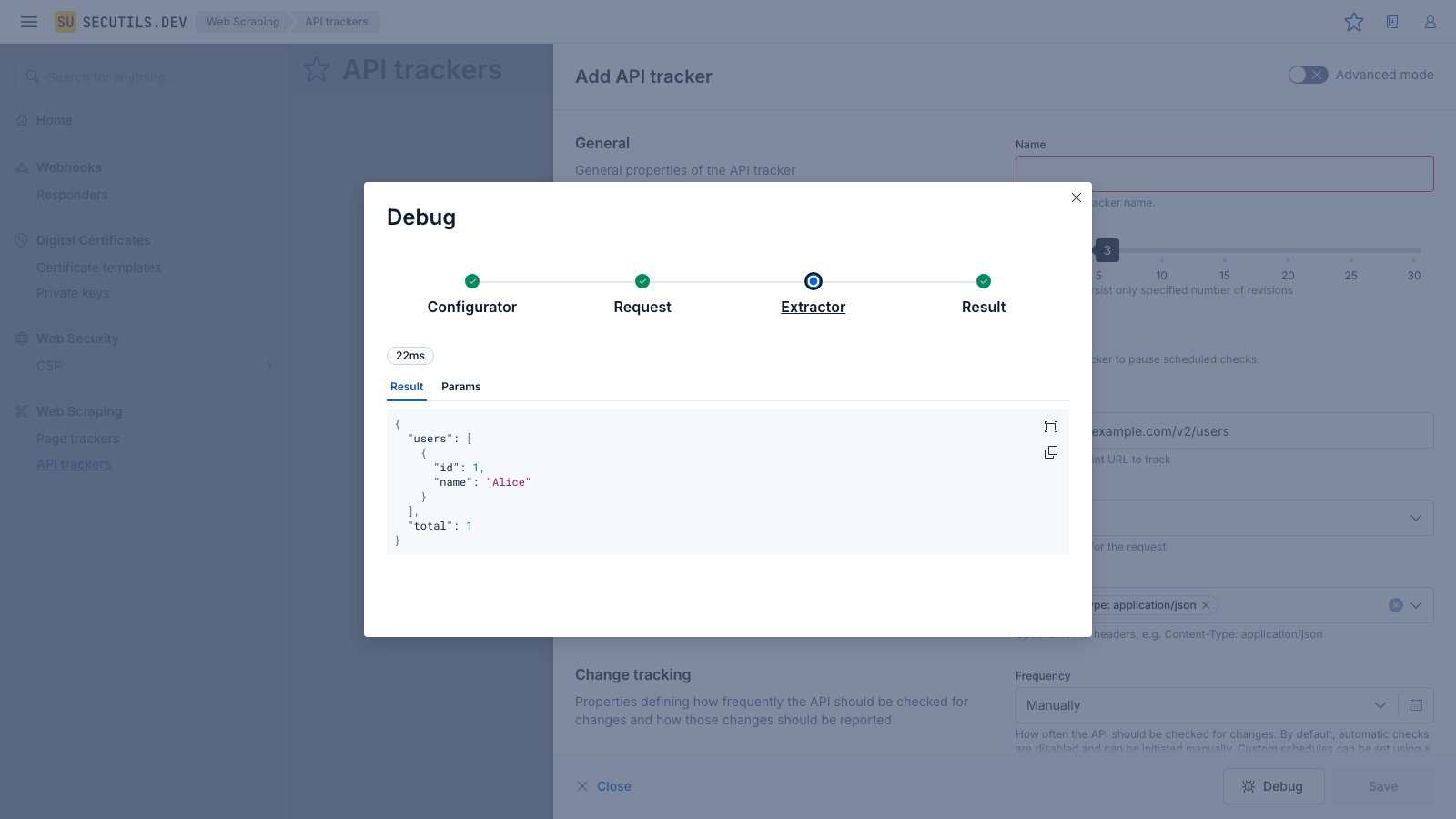
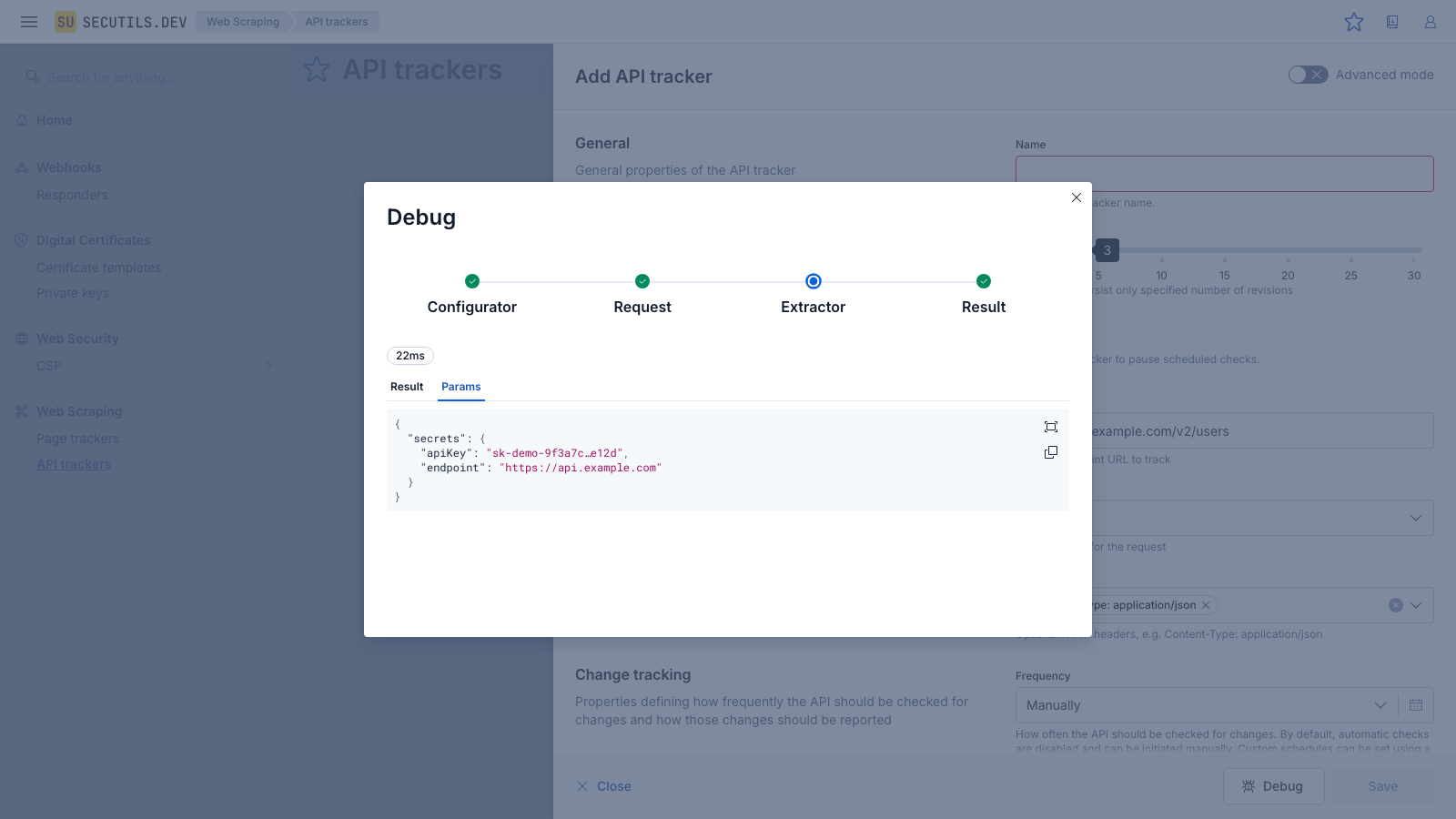
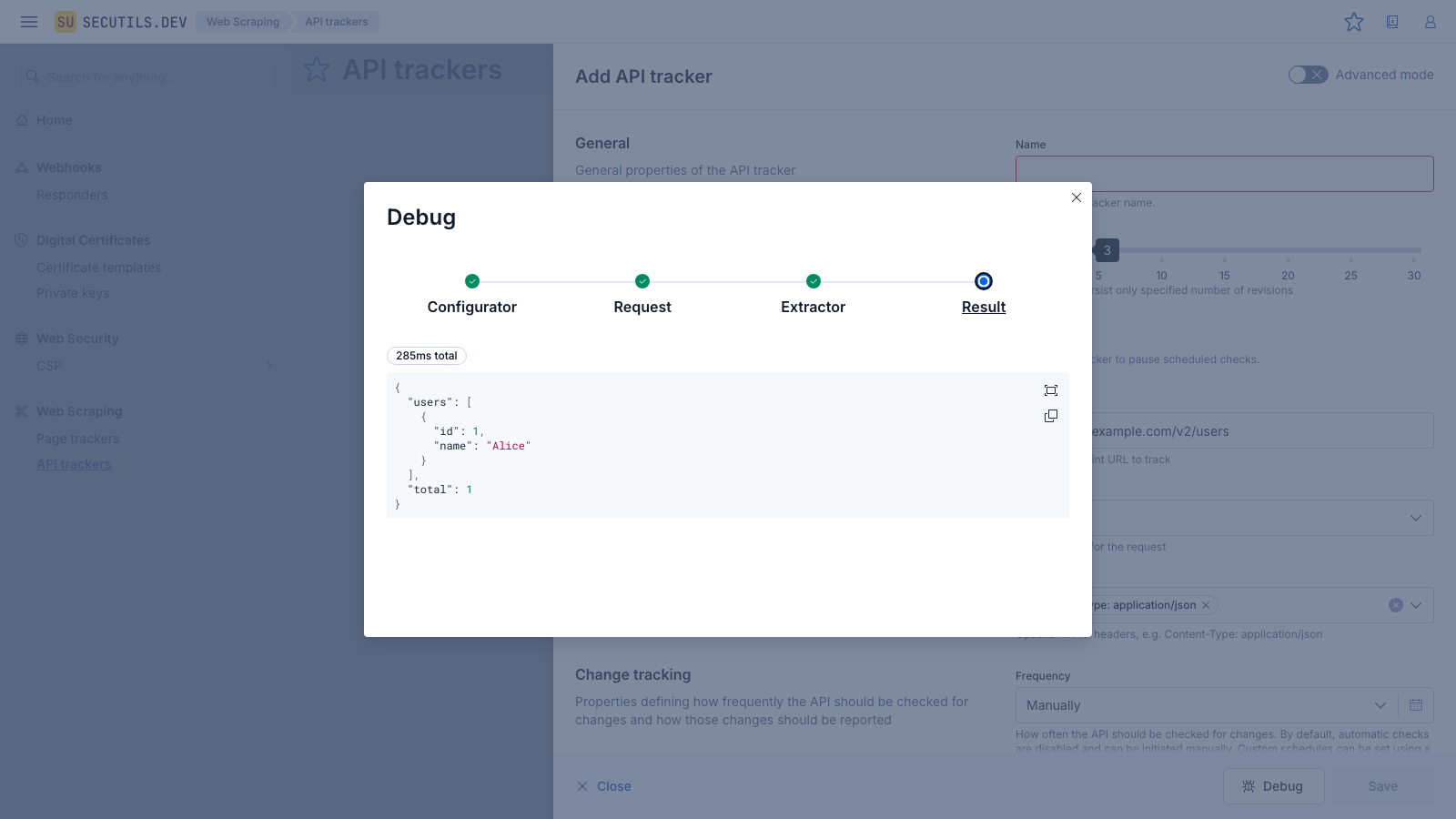
The Debug button is available whenever a URL is filled in - you don't need to save the tracker first. If a pipeline stage fails, it will be highlighted in red and the error message will be shown in the detail panel.
View execution logs
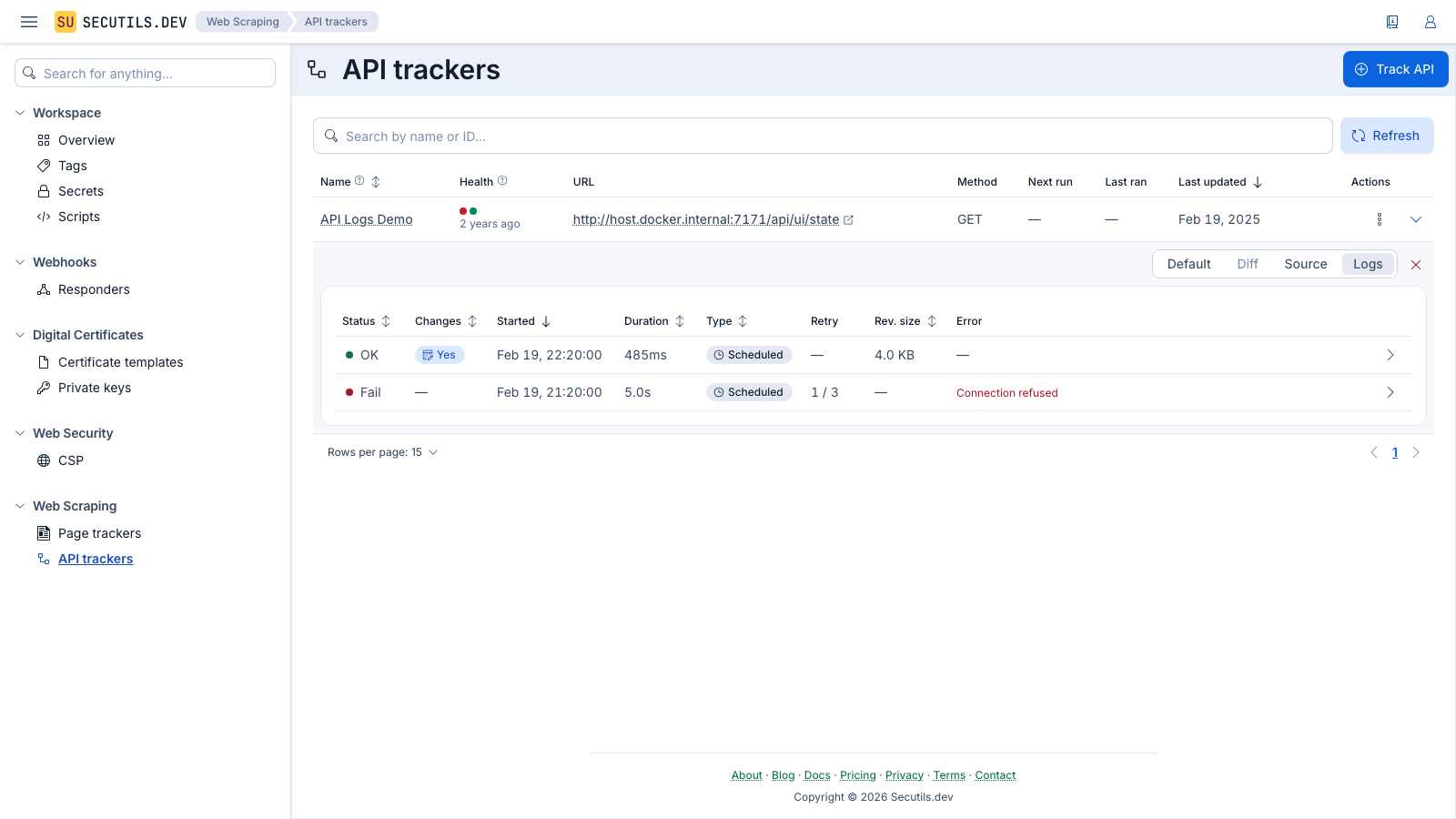
Every time an API tracker runs - whether manually or on a schedule - Secutils.dev records an execution log entry. You can use these logs to understand when the tracker ran, how long it took, whether it succeeded or failed, and what happened during each phase of execution.
To view the execution logs, expand the tracker row in the list and switch to the Logs view using the view mode toggle:
 |
|---|
The log table shows the same columns as for page trackers: status, start time, duration, type, retry information, revision size, and error details. Each row can be expanded to reveal the execution phases timeline.
The Health column in the tracker list provides a quick at-a-glance summary of recent execution results.
To clear all execution logs for a tracker, click the Clear logs button (cross icon) while in the Logs view mode.
Annex: Data extractor script
The data extractor script is a JavaScript IIFE (Immediately Invoked Function Expression) that runs in an isolated Deno sandbox. It processes the raw HTTP responses from the API. For a complete reference of the Deno.core utilities available inside the sandbox (encoding, Base64, type checking, and more), see Deno Sandbox Runtime. The global context object has the following shape:
interface ExtractorContext {
  /** Tags associated with the tracker. */
  tags: string[];
  /** Content extracted during the previous execution, if available. */
  previousContent?: { original: unknown };
  /** Raw HTTP responses from the API requests. */
  responses?: Array<{
    status: number;
    headers: Record<string, string>;
    body: number[];
  }>;
  /** Optional parameters including user secrets. */
  params?: { secrets?: Record<string, string> };
}
The script must be wrapped in (() => { ... })(); and return an object with an optional body field (a Uint8Array). Use Deno.core.encode() and Deno.core.decode() to convert between strings and byte arrays:
(() => {
  const responses = context.responses ?? [];
  if (responses.length === 0) {
    return { body: Deno.core.encode("No responses") };
  }

  const last = responses[responses.length - 1];
  const body = last.body
    ? Deno.core.decode(new Uint8Array(last.body))
    : "{}";
  return {
    body: Deno.core.encode(
      JSON.stringify(JSON.parse(body), null, 2)
    )
  };
})();
Scripts run in a strictly isolated Deno sandbox. fetch, XMLHttpRequest, and other network APIs are not available. Only Deno.core utilities (such as encode, decode) and JavaScript built-ins are accessible. See Deno Sandbox Runtime for the full reference of available APIs.
To make secrets available to your extractor or configurator script, open the tracker's edit form, enable Advanced mode, and set the Secrets → Access mode to All secrets or Selected secrets. The decrypted secrets will then be available as context.params.secrets. Manage your secrets in Workspace → Secrets. Example: const token = context.params.secrets.MY_TOKEN;
Annex: Request configurator script
The request configurator is an advanced IIFE script that allows you to dynamically modify API requests before they are sent. This is useful for adding dynamic authentication tokens, timestamps, or other request parameters. It runs in the same isolated Deno sandbox as the extractor. The global context object has the following shape:
interface ConfiguratorRequest {
  url: string;
  method?: string;
  headers?: Record<string, string>;
  body?: number[];
  mediaType?: string;
  acceptStatuses?: number[];
  acceptInvalidCertificates?: boolean;
}

interface ConfiguratorResponse {
  status: number;
  headers: Record<string, string>;
  body: number[];
}

interface ConfiguratorContext {
  /** Tags associated with the tracker. */
  tags: string[];
  /** Content extracted during the previous execution, if available. */
  previousContent?: { original: unknown };
  /** The requests to be sent, which can be modified. */
  requests: ConfiguratorRequest[];
  /** Optional parameters including user secrets. */
  params?: { secrets?: Record<string, string> };
}
The script must return either { requests: [...] } to modify the outgoing requests, or { responses: [...] } to skip the real HTTP call and provide mock responses directly.
When returning { responses: [...] } without a data extractor, each response body must contain valid JSON bytes (e.g. Deno.core.encode(JSON.stringify(...))), because the tracker stores the result as a JSON value. Plain text like Deno.core.encode("Hello World") will fail with "Cannot deserialize API response". Either wrap the value with JSON.stringify() or add a data extractor script to process the raw bytes.
For example, to inject a secret as a Bearer token:
(() => {
  const req = context.requests[0];
  return {
    requests: [{
      ...req,
      headers: {
        ...req.headers,
        Authorization: "Bearer " + (context.params?.secrets?.API_KEY ?? "")
      }
    }]
  };
})();
Annex: Custom cron schedules
Custom cron schedules are available only for Pro subscription users.
The cron expression syntax for API tracker schedules is identical to the one used by page trackers. Refer to the page tracker documentation for details on supported cron expressions and examples.