API Keys
Secutils.dev supports API keys for programmatic access to the REST API. API keys are ideal for CI/CD pipelines, automation scripts, and AI agents that need to interact with Secutils.dev without a browser session.
Key features
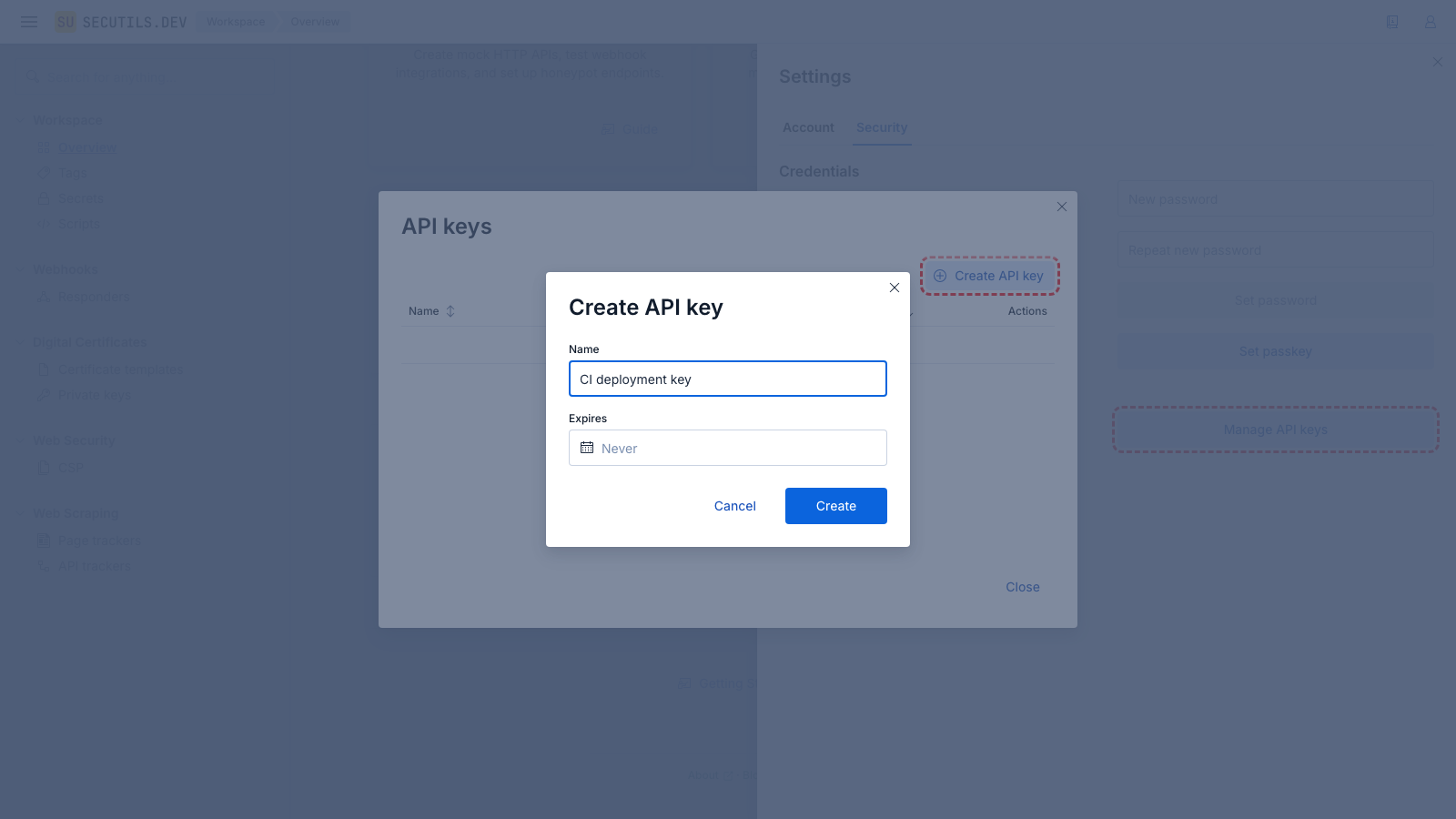
- Opaque tokens - each key is a random token prefixed with
su_ak_for easy identification - Optional expiration - keys can be set to expire on a specific date, or never
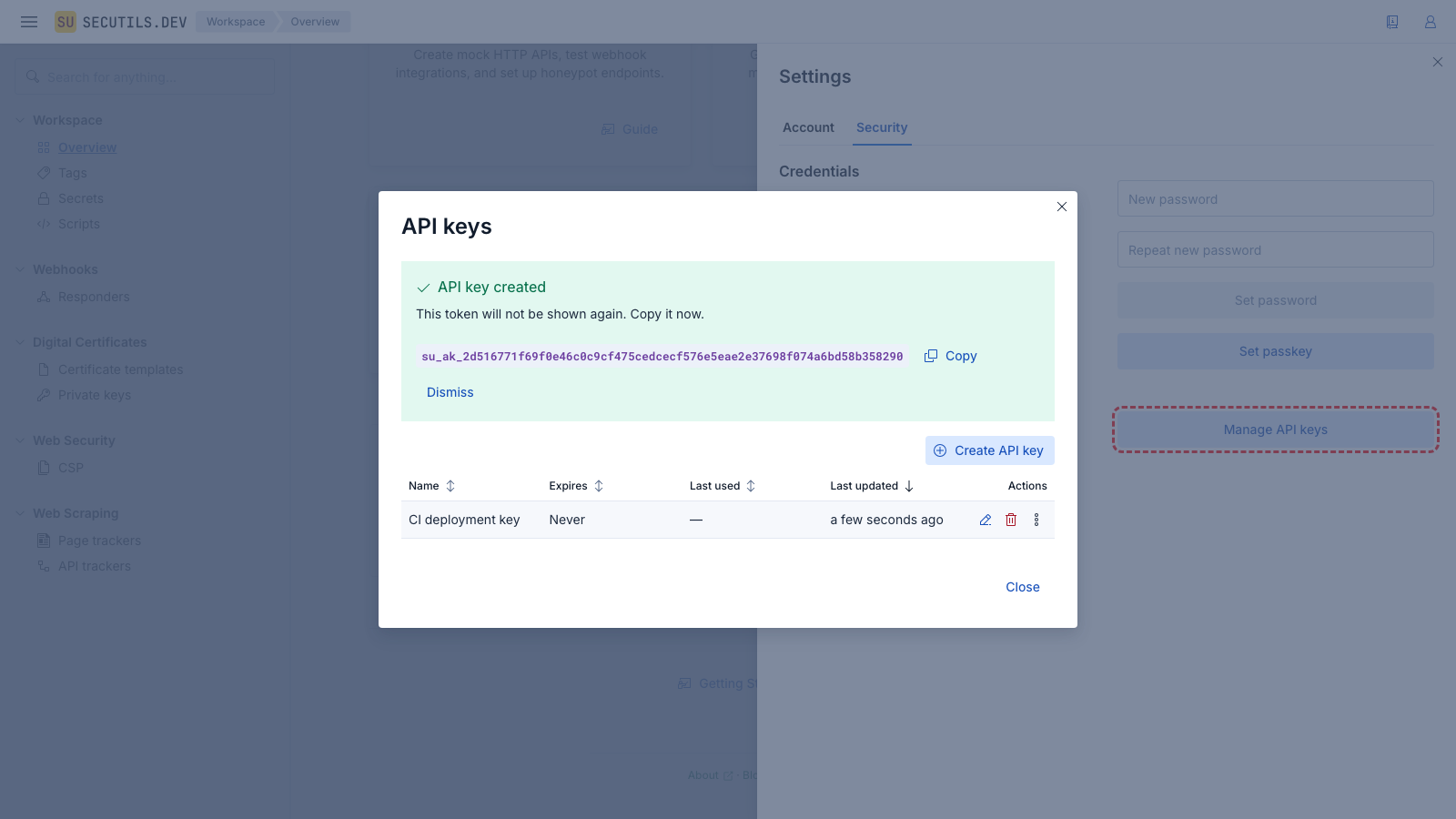
- One-time display - the plaintext token is shown only at creation and regeneration; it cannot be retrieved afterward
- Independent of sessions - API keys work without cookies or browser login
Managing API keys
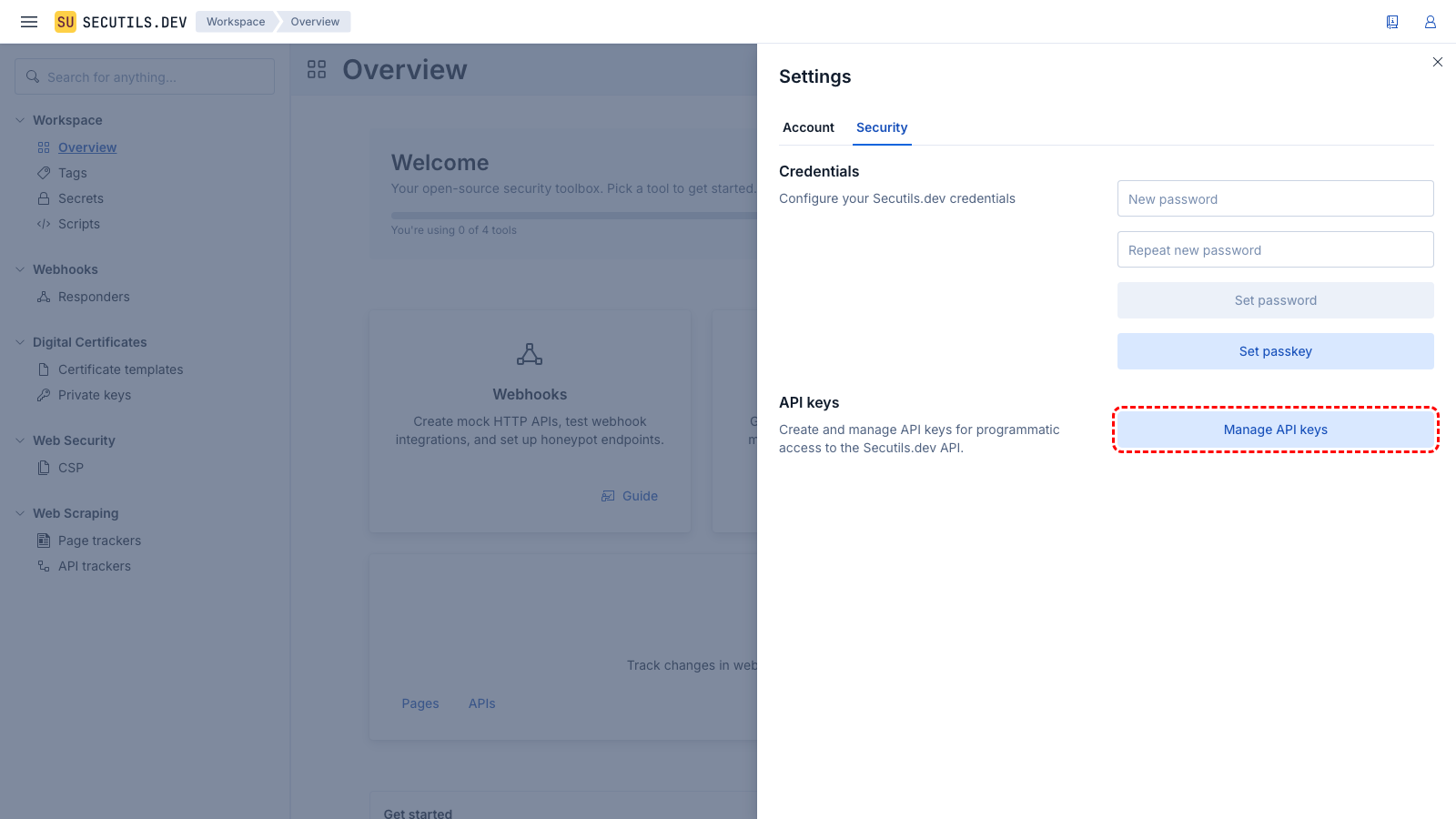
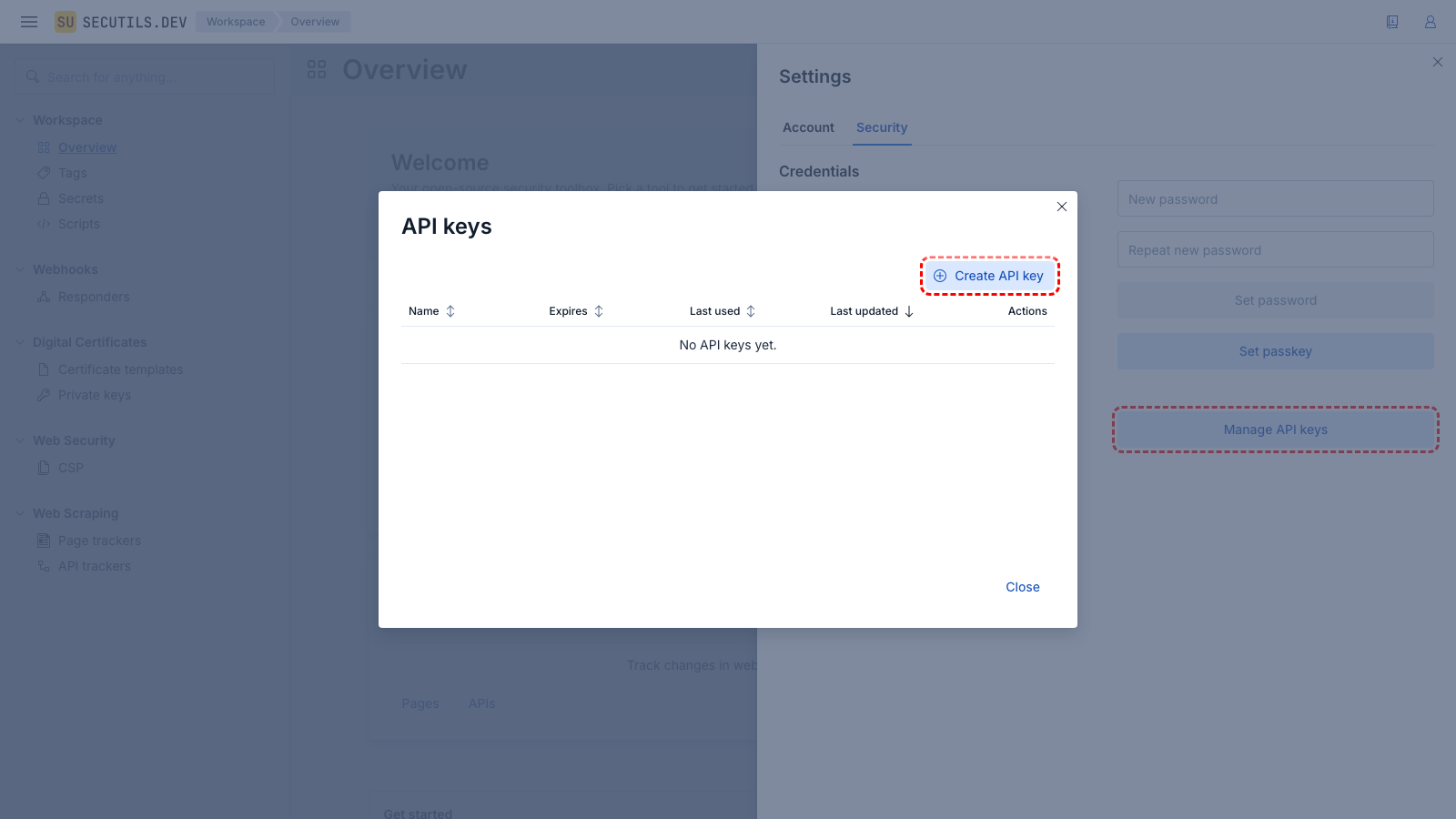
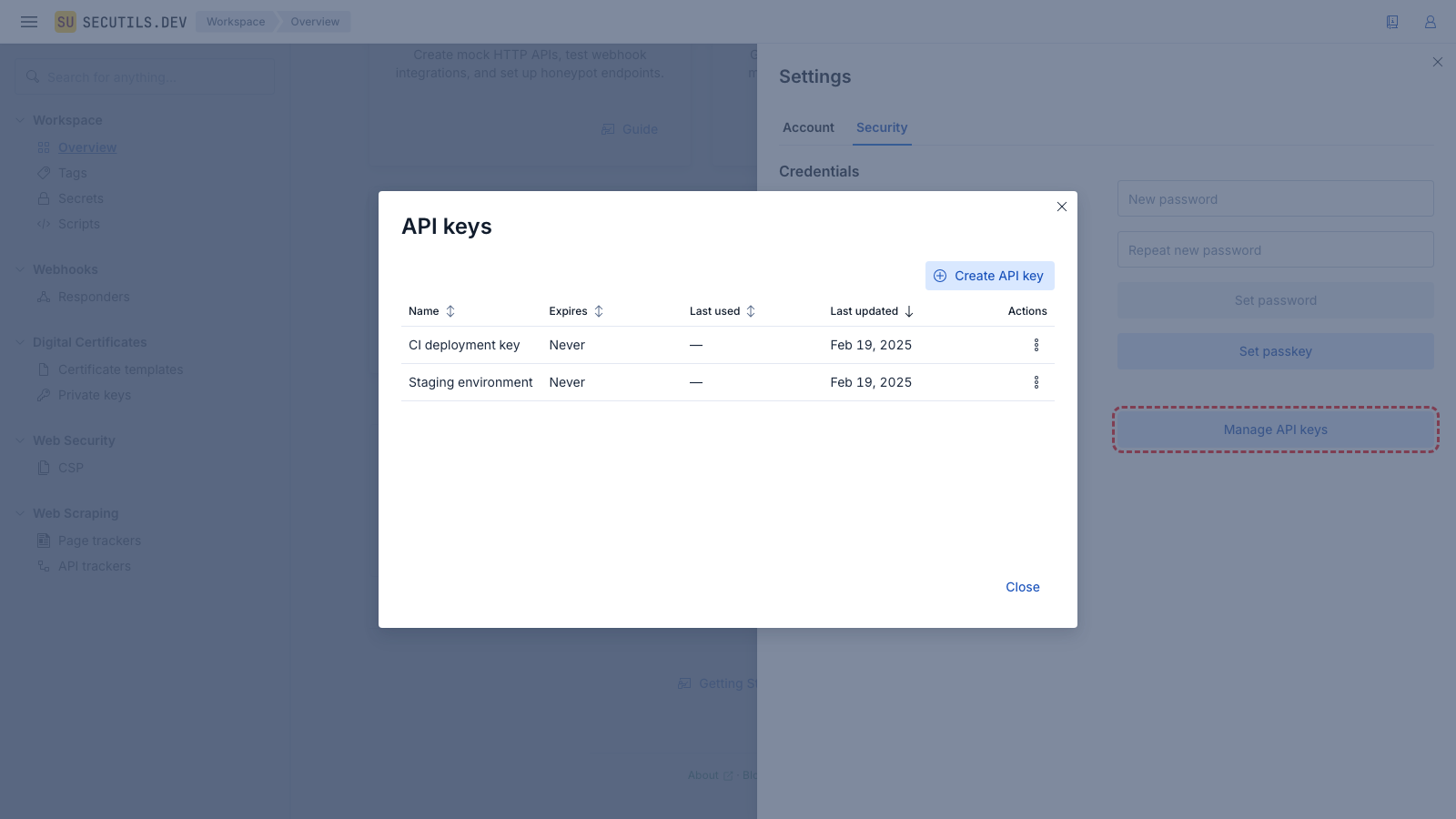
Navigate to Settings → Security and click Manage API keys to open the API keys management panel.
Using API keys
Include the API key in the Authorization header of your HTTP requests:
curl -H "Authorization: Bearer su_ak_your_token_here" \
  https://secutils.dev/api/user/api_keys
API keys grant access to all user-facing API endpoints. They cannot be used to manage other API keys (the server returns 403 for API-key-management endpoints when authenticated with an API key).
Key actions
Rename
Use the Edit action to change a key's name. The name is for your reference only and does not affect the key's functionality.
Regenerate
The Regenerate action creates a new token and immediately invalidates the old one. You can optionally set a new expiration date during regeneration. This is the only way to change expiration after creation.
Regenerating a key is irreversible. Any application using the old token will immediately lose access.
Delete
The Delete action permanently removes the key. This cannot be undone.
Expiration
- Keys created without an expiration date are valid indefinitely
- Expired keys remain visible in the list with a red expiration indicator
- Expired keys cannot be used for authentication - the server rejects them
- To extend an expired key, use Regenerate and set a new expiration date
Limits
- Up to 30 API keys per user (configurable via
security.max_user_api_keys) - Key names must be unique and at most 128 characters
- Tokens are approximately 70 characters long (
su_ak_prefix + 64 hex characters)