Notification email
Secutils.dev sends two distinct streams of email:
- Security messages, such as account activation, password recovery, and login alerts. These always go to your login email (the address you signed up with). Their delivery is non-negotiable, routing them anywhere else would weaken account-takeover protection.
- Product notifications, such as page and API tracker change emails. By default, these also go to your login email, but you can optionally route them to a separate, verified notification email.
This split is useful when you want product notifications to reach a shared team inbox (for example, alerts@example.com), while keeping security messages tied to the individual that owns the Secutils.dev account.
Setting a notification email
Navigate to Settings → Account. Below the read-only Email row, you will find a Notification email section.
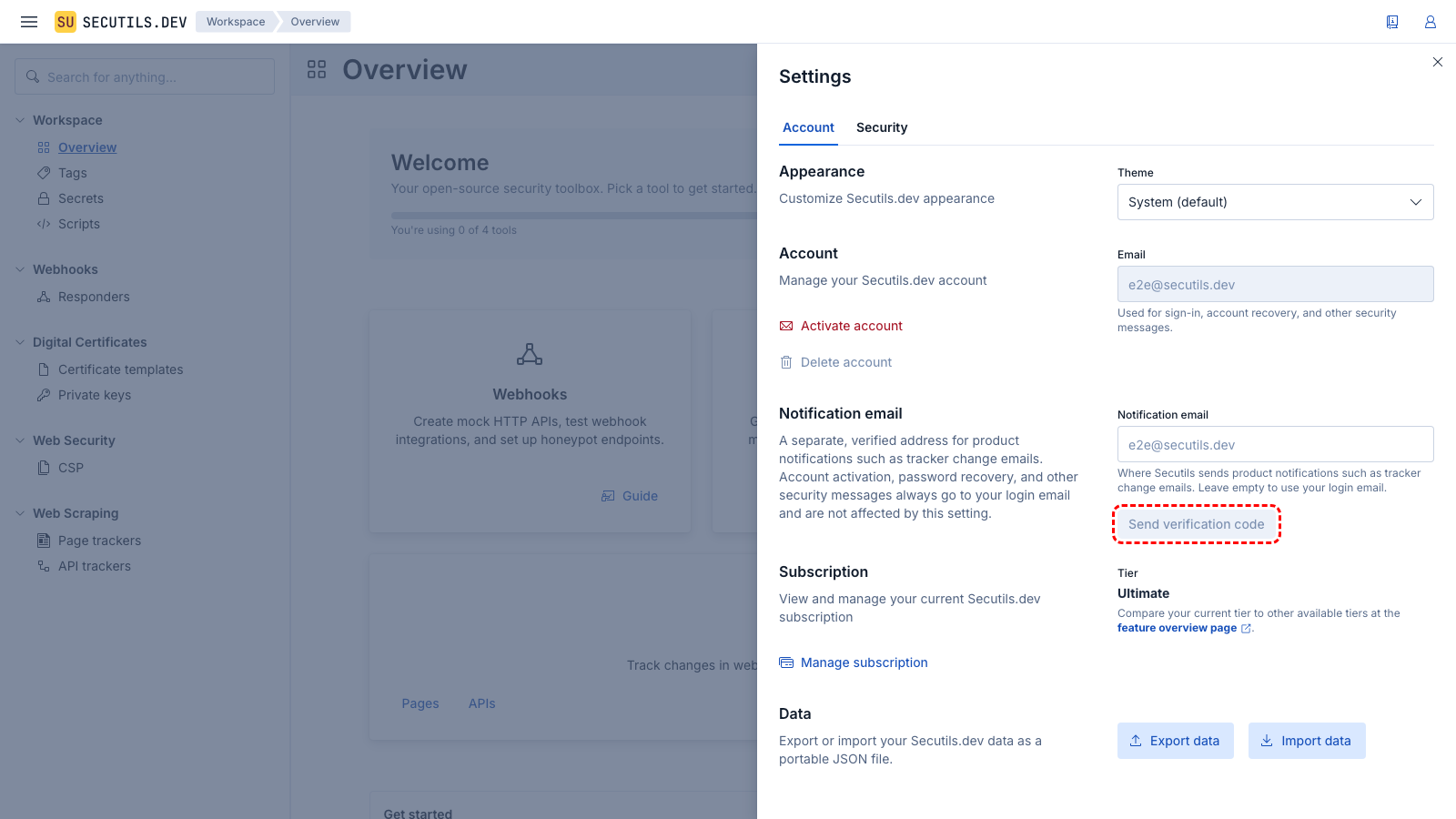
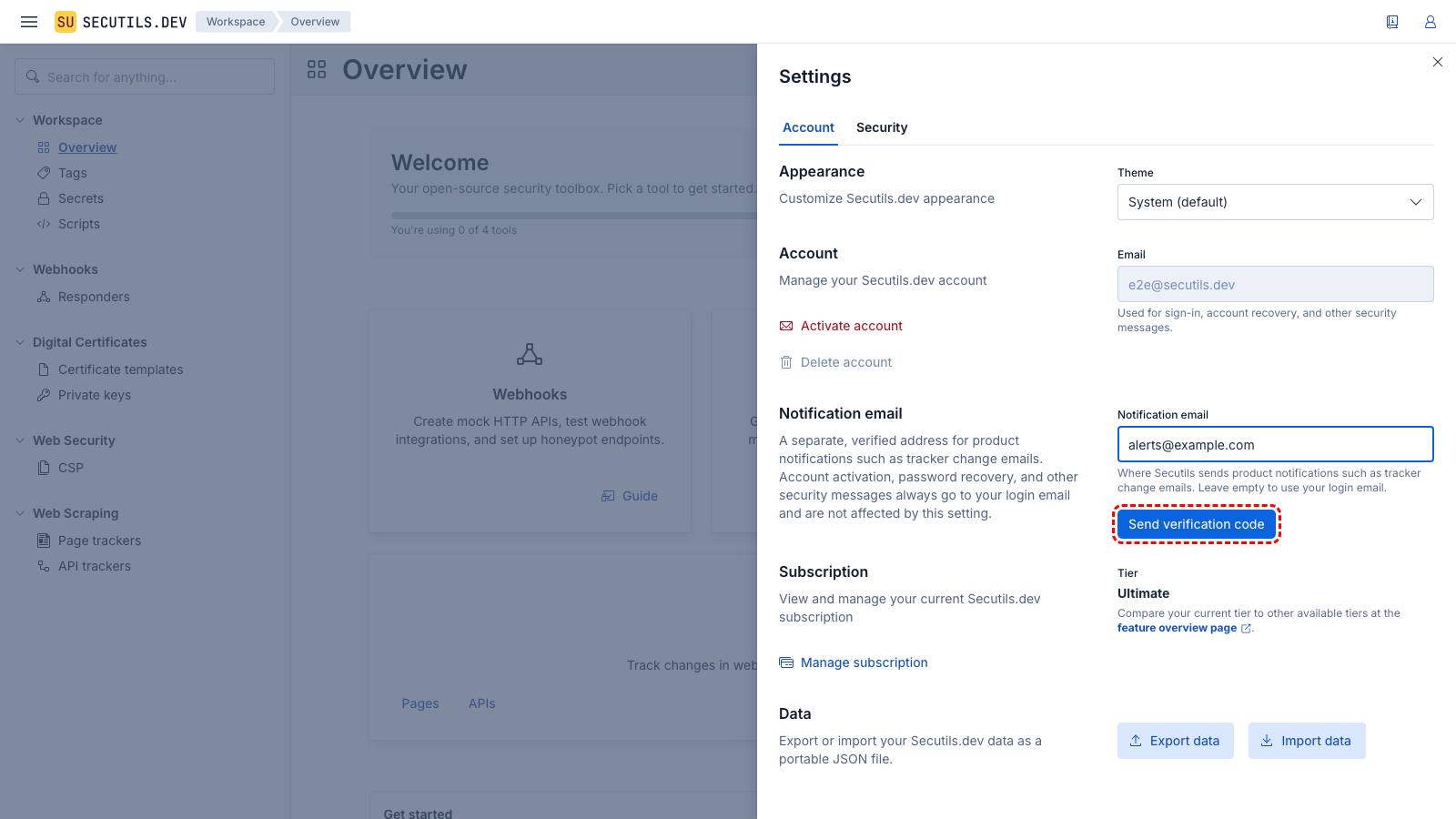
alerts@example.com) and click Send verification code. Secutils.dev sends a 6-digit code to that address, the code expires after 15 minutes.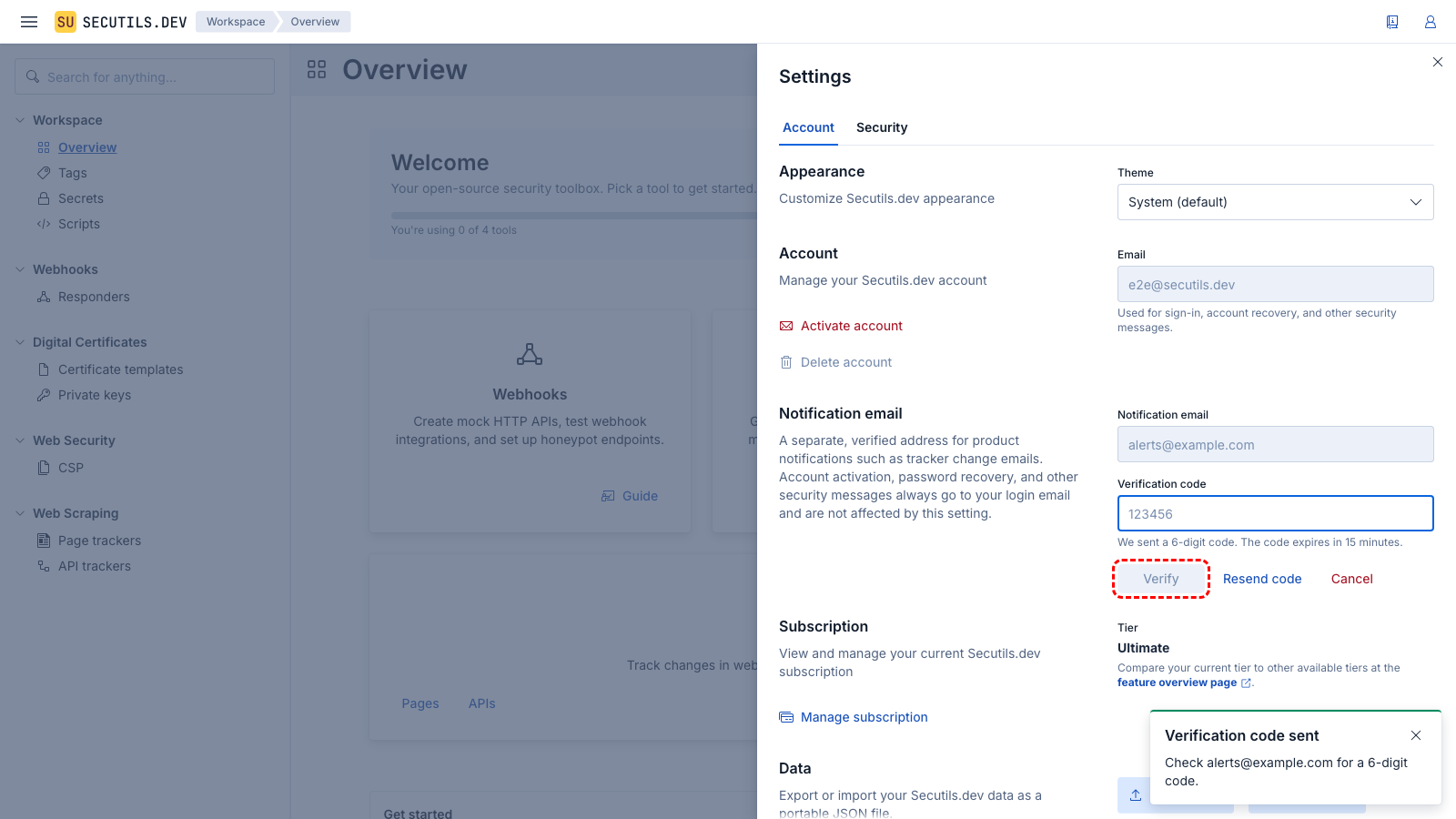
Resending or cancelling
While verification is pending (the state shown in step 3 above) you can:
- Click Resend code to ask Secutils.dev to re-send the same code (subject to a 1-minute cooldown and a 5 messages per hour cap, per address).
- Click Cancel to abort the change. The previously verified address (if any) is preserved.
If the code has expired or you have entered it incorrectly 5 times in a row, request a fresh one with Send verification code again.
Changing or removing
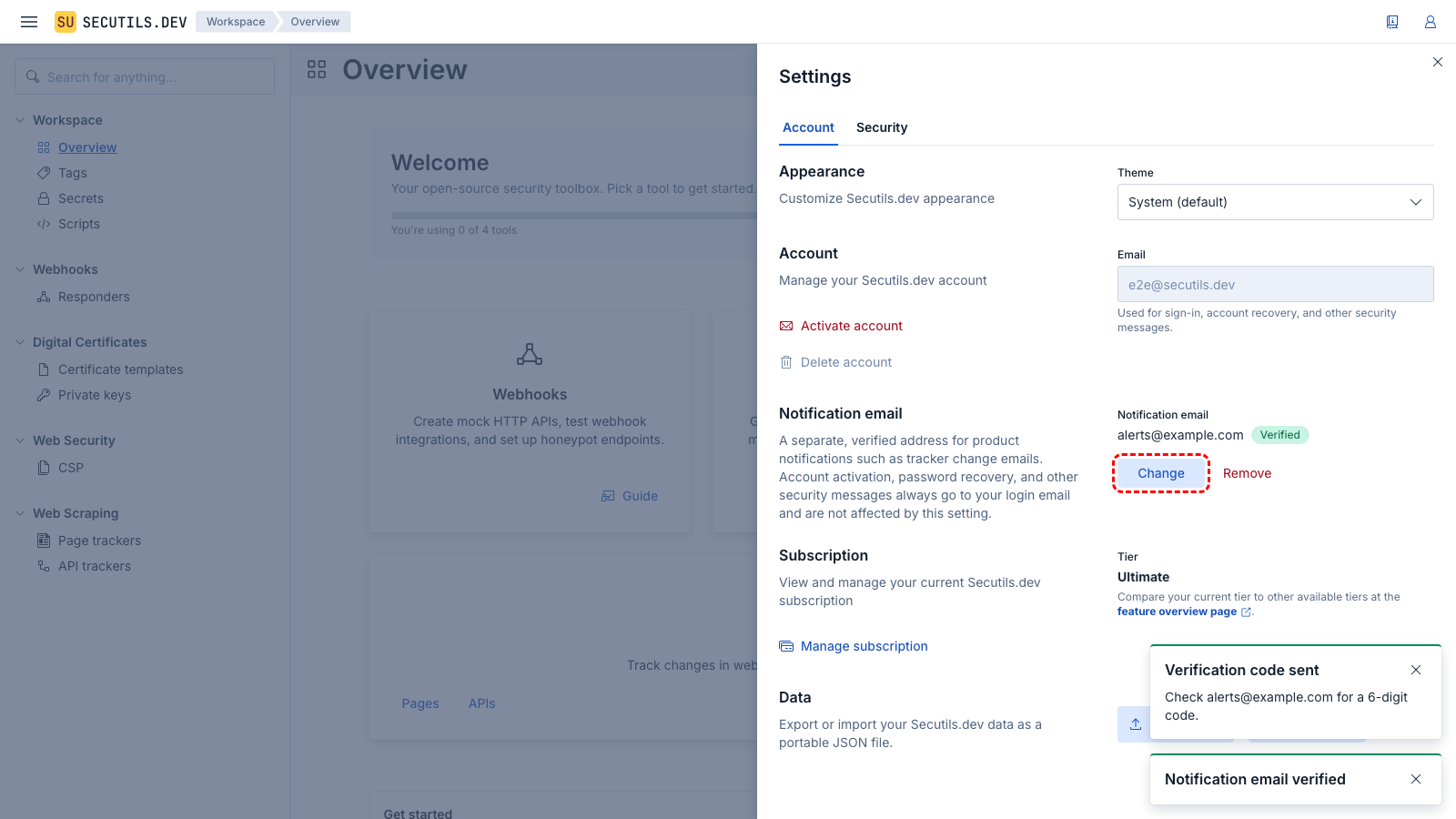
Once an address is verified (the state shown in step 4 above), use:
- Change to point notifications at a different address. The new address re-enters the verification flow, until it is verified, Secutils.dev falls back to the login email.
- Remove to clear the override entirely. Product notifications immediately resume going to the login email.
One-click unsubscribe
Every product notification carries the RFC 8058 one-click unsubscribe headers (List-Unsubscribe and List-Unsubscribe-Post). Most modern mail clients (Gmail, Yahoo Mail, Outlook) render an Unsubscribe affordance next to such messages.
Activating that affordance flips the destination to Unsubscribed, and Secutils.dev stops delivering product notifications to it. To resume delivery, remove the address and re-add it. Security messages are exempt from this header per RFC 8058 and never carry it.
Notes
- The notification email cannot be the same as your login email. To use you login email, just leave the override unset or remove it.